

Diagnostic assessment
Understand what makes data critical
Critical data are more than priority files. Their absence blocks an operation, obligation, production process or decision. On a server they may be a database, share, client folder, email store, virtual machine or application log.
The first mistake is looking only at volume. A server may hold vast secondary archives alongside a few indispensable items. Recovery should begin with business priorities: relevant periods, applications, users and genuinely required files.
Visible storage forms only part of the problem; data may depend on RAID, a file system, permissions, a database, services and backups. Copying isolated files does not always restore an application.
Preserving data during a business IT failure covers the organisational response. This guide focuses on the server itself: why critical data disappear despite apparently robust infrastructure.

Diagnostic assessment
Storage layers multiply the weak points
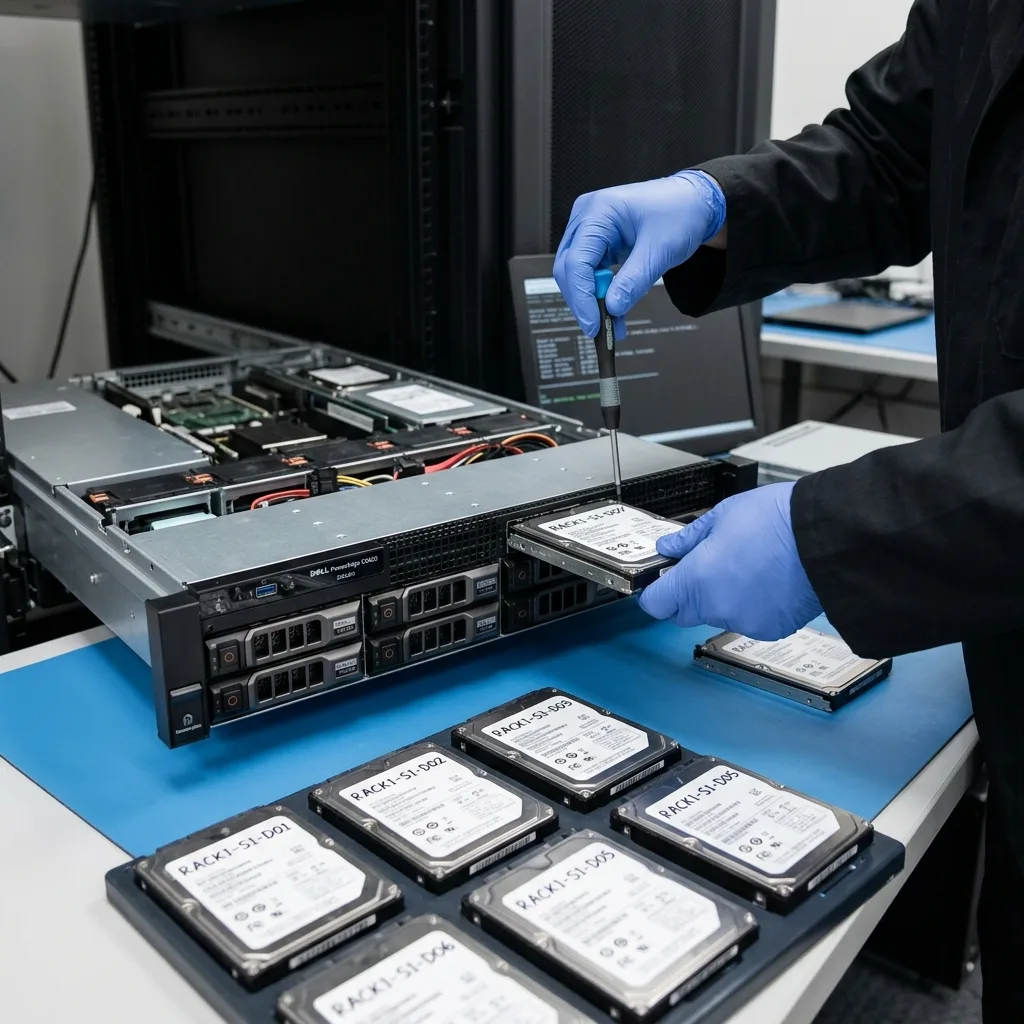
A server commonly depends on disks, a RAID controller, logical volume, file system, hypervisor, database and application. Loss may arise in one layer or a combination of them. An unavailable service doesn't necessarily mean its files are gone.
RAID protects against some disk failures, but complicates recovery after an incorrect rebuild, several unstable disks or lost configuration; virtualised servers add virtual-disk structures as another layer.
Databases are sensitive to interrupted writes. A database file may be present but inconsistent. Logs, indexes and software versions may all be required for a usable result.
Server data recovery clarifies specialist handling. The important point here is why centralised server storage cannot guarantee straightforward recovery.

Diagnostic assessment
Backups commonly fail at the critical moment
A backup may exist without being usable. It may be too old, incomplete, untested, encrypted without an available key or synchronised with corruption. External volumes, open databases and virtual machines may fall outside its scope.
Restoring too quickly may worsen the position. Whole-server restoration may overwrite evidence still present or replace a partly sound version with an older one. Test backup separately.
Validation belongs with the business. An administrator may confirm technical completion, but only users or application owners can establish whether expected data are present and coherent.
Retain existing backups even when they appear insufficient. Several partial sources can at times support a more complete delivery than one source alone.

Diagnostic assessment
Continuity actions may overwrite evidence
Pressure to resume is intense after server failure. Restarting, rebuilding, restoring, reinstalling or moving services may appear needed. Keep these continuity actions separate from recovery assessment.
Where operations must resume, use healthy infrastructure or a validated backup while preserving the original devices; this prevents writes to the only material still available for analysis.
Document every action: replaced disk, restarted service, restored backup, executed script, observed message and time. The timeline can clarify secondary loss or propagated corruption.
Datastrophe analyses each server layer before delivering priority data to healthy storage; success is judged by operational use, not file count alone.
Diagnostic assessment
Prevent loss with straightforward evidence
Helpful prevention rests on a few proofs: a recently restored backup, application inventory, RAID documentation, disk monitoring, validation roles and a shutdown procedure. Keep them concise and practical.
A critical server needs a basic map: where data sit, which backups cover them, who may validate them, which services depend on them and which actions are forbidden before assessment. That map prevents improvisation.
Test dependencies too. A database, business application or virtual machine should be opened after restoration. A backup producing copied files alone does not prove that the service may resume.
Servers lose critical data when confidence in infrastructure replaces verification; preserve devices, test backups and connect recovery with genuine business needs.
Control permissions as well. Restoration may recover files but lose the permissions, groups or shares needed in operation. In some settings, missing access structures delay continuity as much as missing data, so document them.
Virtualisation adds dependencies. A virtual disk can be present but inconsistent, or rely on snapshots, configuration files and underlying storage. Check the whole set rather than only the largest file.
Internal communication matters during an incident. Users need to know which actions must stop: don't recreate folders, replace a database or restore old local copies to the source server. Such actions can overwrite useful traces.
Plan business validation after delivery; open databases, verify periods, test applications and confirm critical folders. Without this step, recovery remains technical rather than operational.
Avoid undocumented partial restorations. Copying several folders under pressure may help one team, but may conceal the original version and complicate final consolidation unless recorded.
Preserve system and application logs where they exist. They may clarify the cause, affected period or last valid transaction. Deleting them to create space or restart a service can remove relevant information.
Once data have been recovered, make prevention measurable: a restoration test, disk alert, backup check and named owner. These straightforward proofs are more valuable than lengthy documentation nobody consults during failure.
Diagnostic assessment
Primary Technical References And Limits
Reference scope — critical data loss: For server critical data loss, the primary references used are csrc.nist.gov. Physical evidence — critical data loss: They define the relevant preservation, storage or validation concepts, but they cannot establish the exact physical condition, controller state, key availability or business consistency of the device received. Controller evidence — critical data loss: Those points require measurements on the original set and verification on copies.
Diagnostic assessment
Arrange A Controlled Assessment
Complete set — critical data loss: For a technical assessment of server critical data loss, provide the complete device or storage set, its associated power and interface parts, the symptom timeline and the essential records. Incident history — critical data loss: Keep member order, labels and authorised credentials separate from the parcel paperwork; do not restart the source merely to obtain a new screenshot.
Laboratory responsibility — critical data loss: Datastrophe performs the diagnosis, integrity checks and recovery directly in its own laboratory with its own team. Free assessment — critical data loss: Diagnosis and the quotation are free. Transport boundary — critical data loss: Private collection and return is included; the carrier moves only the sealed parcel and neither accesses nor processes its data.
Controlled list — critical data loss: Before any payment, the client receives the proposed price and a checked list. Verification classes — critical data loss: Each item is classified, in order, as recoverable_verified, partial, detected_unverified or unrecoverable. Payment trigger — critical data loss: Only recoverable_verified items whose contents were checked and found usable are presented as recoverable. No-result rule — critical data loss: Payment is due only after the client accepts both the list and the price.
No-result rule — critical data loss: If no usable data is verified, recovery fails, or the client declines the list or price, no standard fee is payable. Rare-part exception — critical data loss: The only exception is a rare, costly and non-refundable part, which may be ordered only after a separate, explicit and priced proposal has been accepted.