
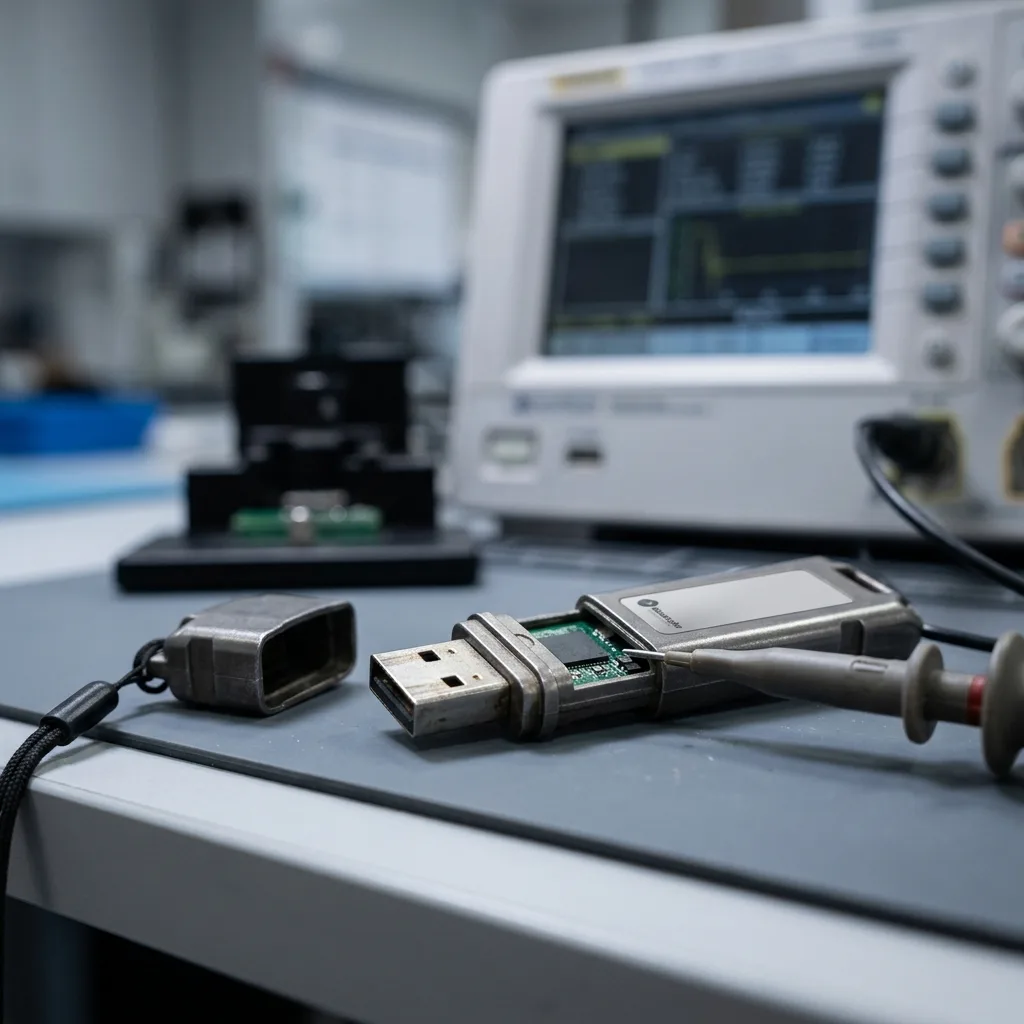

Diagnostic assessment
What makes an industrial USB flash drive more robust
An industrial USB flash drive may be designed to withstand greater stresses than a promotional or ordinary consumer model. A reinforced enclosure, selected components, a wider operating-temperature range, better vibration resistance or a stronger connector can reduce particular risks.
That resilience mainly concerns the operating environment. In a workshop, machine controller, technical vehicle or kiosk, a standard drive may face heat, dust, repeated handling and power interruptions. An industrial model is intended to reduce some of these weaknesses.
The data are still stored in flash memory managed by a controller. This architecture has limits of its own, including wear, bad-block management, firmware behaviour, power stability and write consistency. An industrial drive isn't an indestructible backup.
USB flash drives in extreme environments examines field exposure in more detail. The central issue here is the gap between hardware resilience and genuine data protection.
The word "industrial" must therefore be interpreted carefully. It may refer to temperature tolerance, the enclosure, long-term model availability or component quality, but it doesn't automatically guarantee a sound backup policy. Two drives that look alike can behave very differently because of their controller, memory and actual workload.

Diagnostic assessment
Risks that still remain
Flash memory wears as it is written. Better components still have finite write cycles. A drive used for logs, repeated exports, machine configurations or frequent transfers may age far faster than one that is only read occasionally.
The controller remains a critical point. It translates logical requests into flash access, manages blocks and applies error correction. If it becomes unstable, the drive may stop being recognised, report the wrong capacity or ask to be formatted.
Power loss during a write is dangerous as well. Removing the drive without ejecting it, shutting down a machine, a voltage drop or an unstable USB port can leave the file system inconsistent. A reinforced enclosure can't protect an unfinished write.
Industrial settings introduce electrical stresses. Power surges, interference, worn ports or shared power supplies can damage the drive. Mechanical strength offers little protection when the power source is poorly controlled.
Connection cycles matter too. A drive used several times a day across different equipment undergoes connector, temperature and handling stresses that specifications can't fully describe. By the time symptoms appear, it may already have experienced many brief outages or interrupted writes.
Temperature ratings also need context. A drive designed for an extended range will tolerate some conditions better, but repeated heat still accelerates electronic ageing. Media left permanently connected inside a cabinet, vehicle or kiosk may be under continuous stress.
Read-only use and frequent writing don't carry the same risk. Carrying a stable configuration places less demand on flash than recording events every minute. The industrial label is no substitute for assessing the real workload.

Diagnostic assessment
Responding to an unstable industrial USB flash drive
A drive that disconnects, slows down, becomes hot, changes capacity or asks to be formatted should be taken out of use. Continuing to copy files can create fresh writes and make the remaining evidence harder to interpret.
Preserve the context: the machine and USB port used, error messages, data type, last successful copy, write frequency and any power interruption. These details help distinguish media failure, logical corruption and an environmental fault.
Don't reformat the drive as a test. Formatting may replace structures that are still useful. Nor should several repair tools be run against the original media. The priority is to obtain a controlled image or read when its condition allows.
The data format matters as well. A drive carrying ordinary documents, machine exports, timestamped logs or configuration files presents different requirements. In some cases, folder structure, dates and filenames are as important as file contents. Preserving them helps reconstruct the operational context.
USB flash drive data recovery explains how failed drives are assessed. For industrial media, the diagnostic assessment must also consider the system in which the drive was used.

Diagnostic assessment
Organising critical data differently
An industrial USB flash drive can be useful for transfers, configurations or temporary storage. It shouldn't be the only location of critical information. A machine configuration, production log or business export needs an independent copy.
Automated uses should be documented. Equipment can write files to an attached drive without supervision. The loss may remain hidden until the historical record is needed if the drive fills up or writes begin to fail.
The storage medium should also suit the workload. An industrial flash drive may be appropriate in a harsh environment, while an industrial SSD, specialist memory card, NAS or network backup may better fit the volume and writing frequency elsewhere.
Validation must be routine. Opening files, checking dates, reviewing exports and replacing ageing media costs much less than urgent recovery after months of silent failures.
Critical exports should be copied elsewhere as soon as they are created. A drive that moves data between machines must not quietly become the main archive. The organisational risk is greater than the hardware risk when it holds the only record of a configuration or log.
Failure behaviour needs planning. A machine that continues operating without warning that the drive has stopped writing correctly creates silent data loss. Capacity monitoring, alerts and periodic file checks matter just as much as media selection.
A documented replacement cycle prevents an old drive from becoming invisible within procedures. Its commissioning date, purpose, associated machine and latest validation should be easy to find. That discipline remains valuable with robust equipment because it catches changes in use before a failure.
Diagnostic assessment
How to prevent loss without overrating the hardware
Sound prevention combines suitable hardware, a straightforward procedure and a verified backup. Robust media can reduce some incidents, but can't compensate for a missing copy, unsafe removal or unstable power.
Set a service life, identify drives by purpose, avoid anonymous media and keep replacement records. In a professional environment, a drive that circulates without an inventory often becomes an uncontrolled single source.
Confidentiality also matters when the drive holds sensitive data. Encryption, access control and end-of-life erasure should be planned, while recognising that recovery may become impossible if encryption keys are lost.
Datastrophe approaches these cases cautiously: understand the use, preserve the media, avoid new writes and verify what can be reconstructed. Industrial construction may improve resilience, but it can't provide an absolute guarantee.
The meaningful measure isn't just the advertised strength. It is whether usable data can be maintained over time. An industrial drive belongs in a procedure only when it is monitored, replaced and backed by a checked copy.
In practice, treat the drive as a replaceable component. The data should exist elsewhere in a verified format that authorised staff can access. This distinction prevents physical robustness from being confused with continuity of information.
If an industrial drive fails, retain the equipment that used it whenever possible. Export formats, filenames, write cycles and associated software can help establish what is missing and validate recovered data.
Diagnostic assessment
Primary Technical References And Limits
Reference scope — flash drive data loss prevention guide: For industrial USB flash drive data loss prevention guide, the primary references used are NIST SP 800-86. Physical evidence — flash drive data loss prevention guide: They define the relevant preservation, storage or validation concepts, but they cannot establish the exact physical condition, controller state, key availability or business consistency of the device received. Controller evidence — flash drive data loss prevention guide: Those points require measurements on the original set and verification on copies.
Diagnostic assessment
Arrange A Controlled Assessment
Complete set — flash drive data loss prevention guide: For a technical assessment of industrial USB flash drive data loss prevention guide, provide the complete device or storage set, its associated power and interface parts, the symptom timeline and the priority records. Incident history — flash drive data loss prevention guide: Keep member order, labels and authorised credentials separate from the parcel paperwork; do not restart the source merely to obtain a new screenshot.
Laboratory responsibility — flash drive data loss prevention guide: Datastrophe performs the diagnosis, integrity checks and recovery directly in its own laboratory with its own team. Free assessment — flash drive data loss prevention guide: Diagnosis and the quote are free. Transport boundary — flash drive data loss prevention guide: Return courier transport is included; the carrier moves only the sealed parcel and neither accesses nor processes its data.
Controlled list — flash drive data loss prevention guide: Before any payment, the client receives the proposed price and a checked list. Verification classes — flash drive data loss prevention guide: Each item is classified, in order, as recoverable_verified, partial, detected_unverified or unrecoverable. Payment trigger — flash drive data loss prevention guide: Only recoverable_verified items whose contents were checked and found usable are presented as recoverable. No-result rule — flash drive data loss prevention guide: Payment is due only after the client accepts both the list and the price.
No-result rule — flash drive data loss prevention guide: If no usable data is verified, recovery fails, or the client declines the list or price, no standard fee is payable. Rare-part exception — flash drive data loss prevention guide: The only exception is a rare, costly and non-refundable part, which may be ordered only after a separate, explicit and priced proposal has been accepted.