


Diagnostic assessment
Understanding What a Backup Really Proves
A backup protects data only if the required state can be restored at the right time, onto healthy storage and in a form the organisation can use.
A folder, catalogue entry or green job status proves that an operation was reported; it does not prove that the intended files are complete or coherent.
The common mistake is to treat copying as evidence. A copy can be old, partial, interrupted or already corrupt.
It may contain the wrong version because deletion, encryption or application damage was replicated before anyone noticed the incident.
The proof must reflect the workload. A database needs its related files and a consistency check in an isolated instance. A virtual machine needs a coherent disk and snapshot chain. A business export needs to import into a compatible application, not merely exist as a file of plausible size.
A sufficient backup answers five questions
| Evidence | Practical question |
|---|---|
| Coverage | Are all critical volumes, folders and applications included? |
| Freshness | Does the restore point meet the acceptable period of data loss? |
| Independence | Can the incident write to, encrypt or delete this copy? |
| Consistency | Are database, VM, archive and encryption dependencies present? |
| Restorability | Has an isolated test produced a valid business result? |
One negative answer limits the protection. The decision concerns a particular recovery point: which version covers the priority data, meets the recovery point objective and can be tested without touching the source? Until that is known, copies, catalogues and storage should be frozen.

Diagnostic assessment
Distinguishing Copying, Synchronisation and Restoration
A simple copy duplicates files at one moment. It can be useful, but its value depends on completeness, timing and verification. If it runs after corruption, it can faithfully reproduce the damaged state.
Synchronisation keeps locations aligned. That supports day-to-day access, yet may rapidly propagate deletion, malicious encryption or an accidental edit. Without independent version history, the healthy state can disappear from every synchronised location.
A complete policy links each data set to dated states, a separate risk domain and a defined restore procedure. It also records dependencies such as database logs, VM parents, application versions and legitimate keys.
Without a restore exercise, a repository is merely a collection of files whose usability has not been shown.
Snapshots, archives and backups are not interchangeable
A snapshot provides quick rollback but often depends on the source storage. Replication supports availability but can replicate corruption. An archive favours long retention and limited change. A versioned backup should reconstruct a dated state. Combining them is useful only when each mechanism covers a named risk.
Copy count is a poor measure when every copy shares the same incident. Three versions accessible with the same administrator account or permanently attached to the same infrastructure can be lost together.
Where external disks, cloud synchronisation, NAS snapshots and application exports coexist, maintain a short matrix of scope, frequency, retention, write access and latest verified restore. This prevents the most visible copy, rather than the last healthy one, being selected under pressure.
Diagnostic assessment
Testing Before Overwriting the Source
Restoring too quickly can destroy the remaining evidence. An in-place restore may overwrite deleted files, replace a partial but newer version or alter metadata needed to reconstruct the sequence of events.
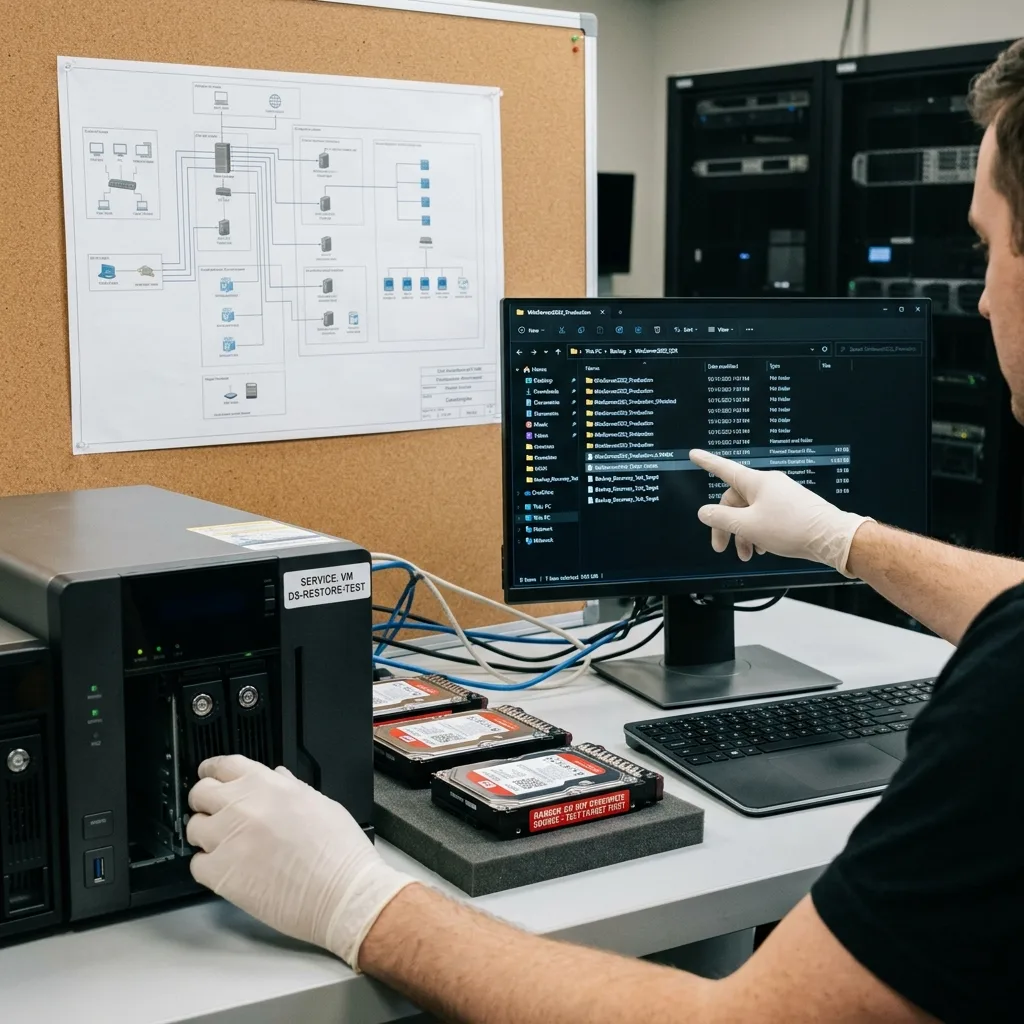
Test the candidate backup separately. Open priority files, compare dates and sizes, and run the relevant application in an isolated environment where needed. A technically completed restore can still fail if a database is inconsistent, a VM chain is incomplete or the required period is absent.
Define the test before starting restoration
The test specifies the recovery point, destination, isolated credentials, expected sample and person authorised to validate the result. Network controls must stop the restored environment writing back to production or restarting synchronisation.
Do not purge a chain because its latest point looks incomplete. An earlier full backup, incrementals, exports and local copies may complement one another or at least provide comparison. Keep catalogues with their dependent data: an isolated incremental file is not a restorable version.
Datastrophe compares these sources before merging them: period covered, directory structure, readable formats, errors and their relation to the original media. This identifies what is genuinely missing and therefore what should be sought on the source before a restore writes to it.
A representative test crosses real risks: recent and older files, an archive, an often-excluded folder, and a database or VM with dependencies. Record the selected point, duration, errors and business validation. This limited protocol can reveal false coverage without pretending to inspect every byte.

Diagnostic assessment
Preserving Versions After an Incident
Once data loss is discovered, preserve the available states. Keep the original media, backup sets, local copies, cloud exports, logs and catalogues.
Deleting an old version to make space can remove the only state created before the incident.
The timeline is decisive. Note the deletion or failure, synchronisation runs, attempted restores, alerts and observed messages. This prevents selection of a backup that is recent precisely because it already contains the error.
Protect the retention window first
Rotation, consolidation and expiry jobs can remove the remaining healthy state after the incident. Suspend them in a controlled way without deleting catalogues or launching another backup into the same destination. Export logs and manifests with timestamps so that each version's dependencies remain understandable.
Freeze:
- The original device or volume;
- Complete backup chains and their catalogues;
- Snapshots, exports and local copies still available;
- Job logs, alerts and access history;
- Identifiers and results for every version already tested.
Recovery time objectives can be addressed on a clean destination from the validated point while the source remains unwritten. More recent gaps can then be investigated separately. This prevents urgency turning the source into the restoration target and destroying the very data absent from the backup.
An interrupted backup illustrates the issue: a target file can exist while its end marker, catalogue or dependent blocks are missing. Job completion and a sample restore matter more than its filename or apparent size.
Diagnostic assessment
Improving Protection Without Multiplying Tools
Better backup does not necessarily mean more software. Start with critical coverage, independent versions, restore testing and a named person who can confirm the result. A simple procedure that produces evidence is stronger than a complex stack no one has restored.
Backup media must be separated from the primary risk. A permanently connected copy can share an electrical fault, ransomware event or administrative mistake. An offline copy, protected remote version or proven isolated restore offers a genuinely different failure domain.
Measure protection against the business need
Map each data set to an owner, recovery point objective, recovery time objective, retention period and validation method. Accounts, source code, surveillance footage and contractual archives change at different rates and require different evidence.
Each service needs an observable recovery test: a business query against a database, an isolated VM start, archive extraction, or a client folder checked with its permissions. A successful backup job is not evidence that the team can resume the service.
A lightweight routine can provide this evidence: restore an isolated sample periodically, obtain business validation, measure the age of the point and correct omissions. The register should name expected volumes and applications so a partial success cannot hide an excluded scope.
After data loss, suspend rotation and synchronisation, retain each chain with its catalogue and test a copy away from production. Even an incomplete backup may provide an earlier period or useful reference. Nothing should be restored onto the original until these states have been compared and the remaining recovery requirement is clear.
For controlled data recovery, a laboratory should diagnose the medium before acquisition; a clean room is reserved for mechanical hard drives that must be opened.
Diagnostic assessment
Primary Technical References And Limits
Reference scope — backups data loss: For inadequate backups data loss, the primary references used are csrc.nist.gov. Physical evidence — backups data loss: They define the relevant preservation, storage or validation concepts, but they cannot establish the exact physical condition, controller state, key availability or business consistency of the device received. Controller evidence — backups data loss: Those points require measurements on the original set and verification on copies.
Diagnostic assessment
Arrange A Controlled Assessment
Complete set — backups data loss: For a technical examination of inadequate backups data loss, provide the complete device or storage set, its associated power and interface parts, the symptom timeline and the priority records. Incident history — backups data loss: Keep member order, labels and authorised credentials separate from the parcel paperwork; do not restart the source merely to obtain a new screenshot.
Laboratory responsibility — backups data loss: Datastrophe performs the diagnosis, integrity checks and recovery directly in its own laboratory with its own team. Free assessment — backups data loss: Diagnosis and the quotation are free. Transport boundary — backups data loss: Private collection and return is included; the carrier moves only the sealed parcel and neither accesses nor processes its data.
Controlled list — backups data loss: Before any payment, the client receives the proposed price and a checked list. Verification classes — backups data loss: Each item is classified, in order, as recoverable_verified, partial, detected_unverified or unrecoverable. Payment trigger — backups data loss: Only recoverable_verified items whose contents were checked and found usable are presented as recoverable. No-result rule — backups data loss: Payment is due only after the client accepts both the list and the price.
No-result rule — backups data loss: If no usable data is verified, recovery fails, or the client declines the list or price, no standard fee is payable. Rare-part exception — backups data loss: The only exception is a rare, costly and non-refundable part, which may be ordered only after a separate, explicit and priced proposal has been accepted.