

Diagnostic assessment
Understanding what corrosion attacks
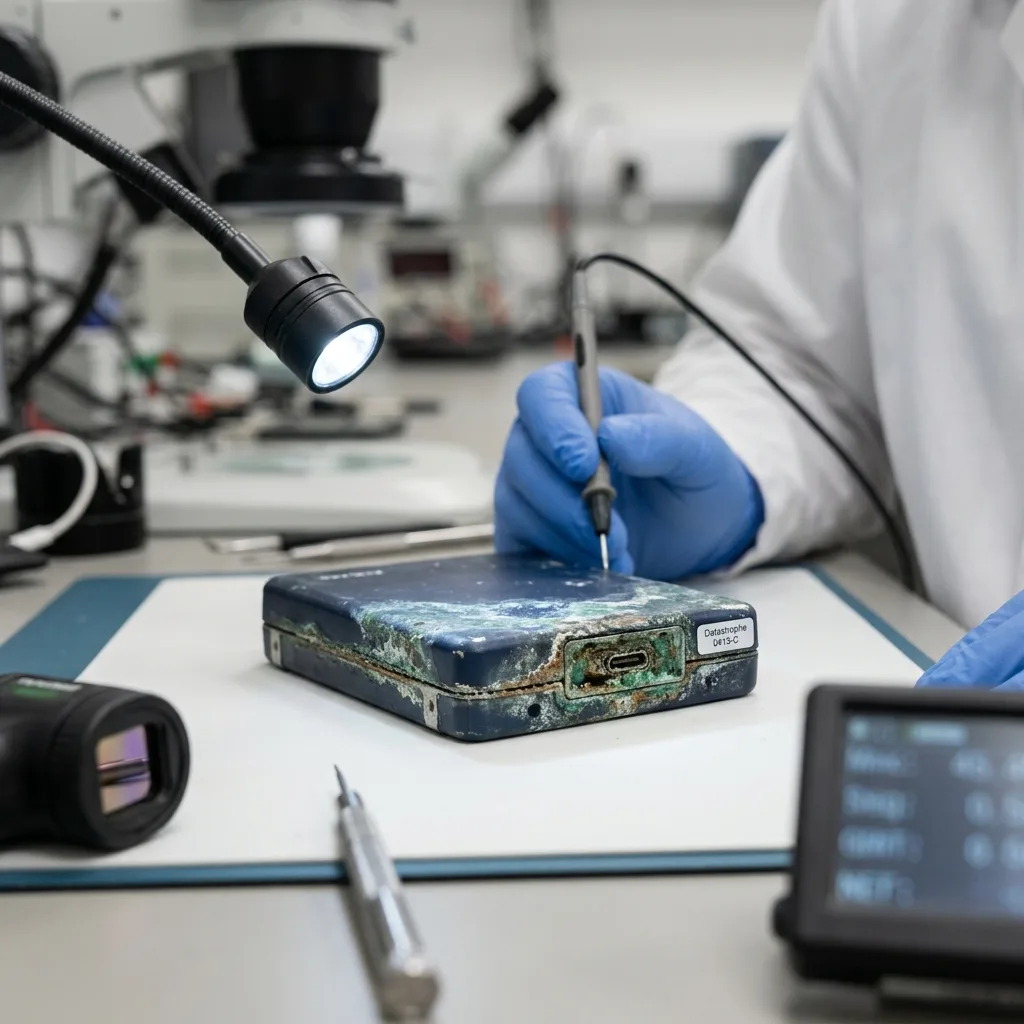
Corrosion commonly follows exposure to moisture, liquid, sea air, long-term storage or a wider incident. It may be visible on a connector, but may also spread across circuit tracks, solder joints, a PCB or internal contacts. Its gradual and at times hidden development creates the danger.
On a hard drive, corrosion may affect the electronics and connectors, or internal parts after exposure to liquid or an aggressive atmosphere. A USB flash drive or memory card may suffer at the contacts or chip level. With an external enclosure, the interface rather than the storage device itself may be at fault.
Do not draw a quick conclusion. Corroded media are not necessarily beyond recovery, but nor are they healthy simply because they look dry. Deposits may remain conductive, cause short circuits or make reading unstable.
Hard drives exposed to water covers liquid damage and flooding; the focus here is corrosion as progressive damage that may become apparent later.
Corrosion may also be secondary damage. A device may have suffered impact, a power interruption or prolonged storage before encountering moisture. The examination must look for combined faults instead of concentrating only on the most visible mark.

Diagnostic assessment
Avoiding power-up and improvised cleaning
The first response is to keep power away from the device. Connecting corroded media may cause a short circuit or worsen a component that is already weak. Even if the device starts once, it may become unstable during reading.
Improvised cleaning is risky too. Scraping contacts, applying the wrong chemical, using heat or dismantling the device without a method may move deposits, tear a track or make diagnosis harder. Storage media are not everyday objects that merely need cleaning.
Preserve the context. Record the exposure date, type of liquid, duration, tests already made, any drying attempt and observed symptoms. That information guides the analysis and helps distinguish an electronic fault, oxidised interface and deeper damage.
Media carried through damp or marine environments need specific care. Corrosion may continue after the initial event, especially where salt deposits remain. Leaving the device unprotected may therefore limit recovery prospects.
Isolate the media without trying to repair them on site; avoid bags that trap moisture, heat sources and repeated handling of the connector. The aim is to stabilise the condition, not make the object look clean before assessment.

Diagnostic assessment
Distinguishing contacts, electronics and media
Recovery depends on the affected area. An oxidised contact may prevent recognition while the data remain untouched. Damaged electronics may block access to otherwise intact media. Internal damage may make reading substantially more complex.
On a USB flash drive, corrosion may affect the connector, circuit tracks or memory. On a memory card, it may disturb the contacts or controller. With an external hard drive, the enclosure, adapter and drive itself must be considered separately. Shortcuts in diagnosis are unsafe.
Some devices are recognised and then disappear. This instability commonly prompts repeated copying attempts, but each one stresses the electronics and can trigger another interruption. Stop testing and preserve the current condition instead.
External hard drives and moisture develops the issue for damp environments. Corrosion adds a chemical and electrical dimension that calls for a more cautious assessment.
Separating the enclosure from the storage device is essential. Replacing a cable or case may appear harmless, but may power damaged electronics under unsuitable conditions. Understand the device architecture before attempting a read.

Diagnostic assessment
Assessing the recovery limits
Corrosion can limit the chance of recovery, although the limit varies by device type. If access may be restored cleanly, data may still be extracted. Where essential components are destroyed or internal areas affected, the outcome becomes more uncertain.
Previous attempts must be considered as well. Damp media connected several times may have suffered short circuits. Aggressive cleaning may remove clues or damage tracks, while an improvised repair may obscure the original fault.
The result may be partial. Some files may be recovered while others remain corrupt or absent. An honest handover distinguishes usable data, partial files and inaccessible areas. Promising complete recovery from corroded media would be irresponsible.
The laboratory damage assessment exists to establish these limits without multiplying attempts. Its purpose is to understand what may be read before anything is forced.
Limits should be explained before extensive work. When only a few files have priority, the acquisition order may target them first. A request for the full device creates distinct demands on risk and time. Corrosion makes clear prioritisation essential.
Diagnostic assessment
Preventing corrosion incidents
Prevention begins with storage and transport; protect media from moisture, liquid, salt air, heat and sharp changes in conditions. Backup devices should not remain in the same exposed environment as production equipment.
Priority data must not depend on one device. An external drive kept in a damp cellar, an unprotected USB flash drive or a memory card used outdoors may all become weak points. Backup planning needs to reflect these real uses.
After liquid or heavy moisture exposure, isolate the media, do not power them on and document the incident; time matters, but rushing matters more. Careful handling protects recovery prospects better than a sequence of hurried tests.
Corrosion illustrates a straightforward rule: media can look intact while remaining electrically dangerous. Datastrophe prioritises preserving the initial condition, identifying the affected area and reading only once the risk is controlled.
Corroded media should not return to service after the files are handed over; even if some data have been recovered, reliability is compromised. Move to a healthy device, review the storage conditions and ensure important copies no longer depend on exposed hardware.
Diagnostic assessment
Primary Technical References And Limits
Reference scope — storage media data recovery: For corroded storage media data recovery, the primary references used are NIST SP 800-86. Physical evidence — storage media data recovery: They define the relevant preservation, storage or validation concepts, but they cannot establish the exact physical condition, controller state, key availability or business consistency of the device received. Controller evidence — storage media data recovery: Those points require measurements on the original set and verification on copies.
Diagnostic assessment
Arrange A Controlled Assessment
Complete set — storage media data recovery: For a technical assessment of corroded storage media data recovery, provide the complete device or storage set, its associated power and interface parts, the symptom timeline and the essential records. Incident history — storage media data recovery: Keep member order, labels and authorised credentials separate from the parcel paperwork; do not restart the source merely to obtain a new screenshot.
Laboratory responsibility — storage media data recovery: Datastrophe performs the diagnosis, integrity checks and recovery directly in its own laboratory with its own team. Free assessment — storage media data recovery: Diagnosis and the quotation are free. Transport boundary — storage media data recovery: Private collection and return is included; the carrier moves only the sealed parcel and neither accesses nor processes its data.
Controlled list — storage media data recovery: Before any payment, the client receives the proposed price and a checked list. Verification classes — storage media data recovery: Each item is classified, in order, as recoverable_verified, partial, detected_unverified or unrecoverable. Payment trigger — storage media data recovery: Only recoverable_verified items whose contents were checked and found usable are presented as recoverable. No-result rule — storage media data recovery: Payment is due only after the client accepts both the list and the price.
No-result rule — storage media data recovery: If no usable data is verified, recovery fails, or the client declines the list or price, no standard fee is payable. Rare-part exception — storage media data recovery: The only exception is a rare, costly and non-refundable part, which may be ordered only after a separate, explicit and priced proposal has been accepted.