
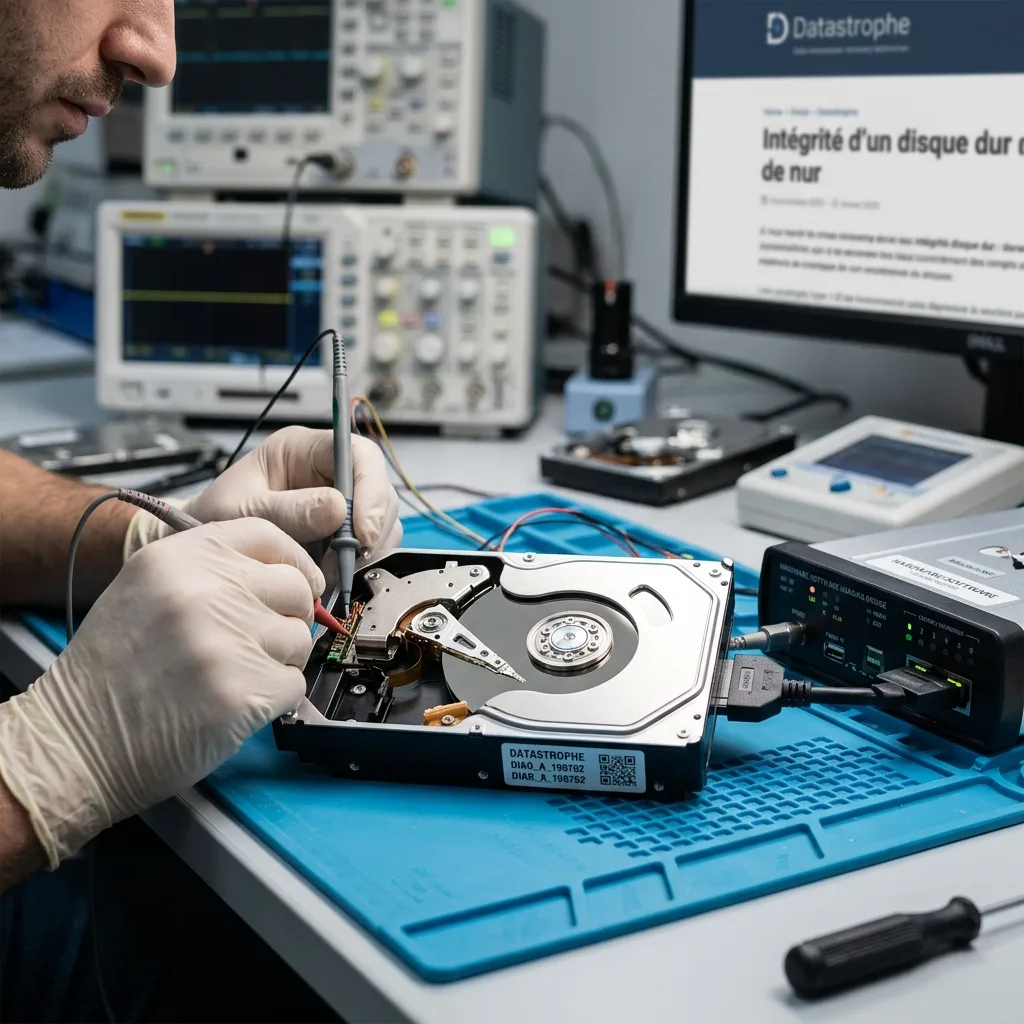

Diagnostic evaluation
Define integrity at the device and file levels
Integrity has several layers: the operating system may detect a drive with unstable sectors, folders may appear while documents are corrupted, and a backup may hold the wrong version. Define the device and file checks before recovery begins.
Datastrophe considers integrity in layers. First comes access: does the drive start, retain its capacity and remain present during reading? Second is acquisition stability: can important areas be read without repeated errors? Third is the coherence of returned files.
Confusing these levels leads to poor decisions. A visible drive isn't necessarily healthy, a visible folder isn't necessarily recoverable and a copied file may not open. Evaluation should proceed gradually.
Hard drive failure evaluation covers failure symptoms. The narrower question here is how to measure what can be read and checked before recovery begins.
This approach avoids a false binary between dead and healthy. A disk may read for minutes, remain stable in some areas, fail in others or support simple files but not a database. Integrity should be stated by confidence level.

Diagnostic evaluation
Observe stability without prolonged reads
Start with behavior, not a full scan. Clicking, sudden slowdown, heat, disconnects, or system freezes show that a few seconds of detection don't justify prolonged reading.
Repeated starts don't provide reliable diagnosis. They stress the motor, heads and start-up areas. An unstable drive can respond once and then deteriorate. Limit power-ups and record exactly what happens.
Automatic repair tools are risky too. They can write to the device, move structures, mark areas or attempt file-system correction without understanding physical failure. The objective is to preserve data, not make the disk usable.
SMART can help but is insufficient. Attributes may report remapped sectors, errors or temperature without proving priority files are readable. Conversely, a drive can be critical with few visible alerts.
Observe the environment as well. A defective cable, external enclosure, power supply or port can resemble disk failure. Retain accessories and test details without multiplying connections.

Diagnostic evaluation
Create a controlled image before repair
When the drive can respond safely, use controlled acquisition to capture useful regions according to its condition. File-browser copying offers no comparable control over weak sectors or repeated reads.
The acquisition accounts for errors, can prioritize critical areas, avoid remaining stuck indefinitely on an unreadable section and record what was read. This matters when the drive may lose its operating window.
Don't repair the file system first. Repair can alter metadata and make reconstruction harder. Working from an image preserves the original if a hypothesis fails.
The same logic applies to visible files. Browser copying may persist at errors, change order without a plan and poorly document difficult areas. Controlled work seeks to preserve as much information as possible.
Hard drive data recovery describes the service route. The methodological point is to measure integrity through controlled reading instead of immediate repair.

Diagnostic evaluation
Validate the priority files themselves
Judge the result by opening the files that matter. Complete-looking folders can hide empty or partial documents, databases may be inconsistent, and archives can open while individual contents remain missing.
Start with priority content: accounts, recent photographs, a business database, client project, exports, video or expected archives. Check opening, period, plausible size and use in the normal application.
Label partial files. A professional file handoff must not present a raw volume as uniformly successful. Limits should be visible so the client knows what is usable and uncertain.
Business expertise may be needed for validation. A technician can confirm that a file opens; only the user may know whether its version, period and content meet the need. Database and project integrity is often established in the application.
Storage media damage evaluation complements this approach with possible causes. Integrity chiefly concerns reading stability and result validation.
Diagnostic evaluation
Stop before the final read opportunity is lost
Integrity checking includes a stop decision. When a drive slows, becomes noisy, disconnects, heats up, or produces growing errors, continued testing can consume the remaining recovery window; leaving it powered off may be the safest next step.
Stop when available information already supports a method. Long scans can't create useful certainty once symptoms establish instability. Recovery should protect the original instead of satisfy technical curiosity.
Keep incomplete images and error logs. They can guide later work, confirm weak areas and avoid unnecessary rereading. This technical memory is more useful than undocumented attempts.
Don't return the assessed drive to production after recovery. Even where some data are handed over, the incident removed confidence in the device. Start again with healthy storage, a tested backup and controls suited to critical data.
Document that decision. Keeping an unstable disk as a secondary device or active archive reintroduces risk, particularly after intermittent failure. Remove it from the working estate even if it appears to operate after several restarts.
Diagnostic evaluation
Primary Technical References And Limits
Reference scope — hard drive integrity before recovery: For check hard drive integrity before recovery, the primary references used are NIST SP 800-86. Physical evidence — hard drive integrity before recovery: They define the relevant preservation, storage or validation concepts, but they cannot establish the exact physical condition, controller state, key availability or business consistency of the device received. Controller evidence — hard drive integrity before recovery: Those points require measurements on the original set and verification on copies.
Diagnostic evaluation
Request A Controlled Evaluation
Complete set — hard drive integrity before recovery: For a technical evaluation of check hard drive integrity before recovery, provide the complete device or storage set, its associated power and interface parts, the symptom timeline and the priority files. Incident history — hard drive integrity before recovery: Keep member order, labels and authorized credentials separate from the parcel paperwork; do not restart the source merely to obtain a new screenshot.
Laboratory responsibility — hard drive integrity before recovery: Datastrophe performs the diagnosis, integrity checks and recovery directly in its own laboratory with its own team. Free assessment — hard drive integrity before recovery: Diagnosis and the quote are free. Transport boundary — hard drive integrity before recovery: Private round-trip shipping is included; the carrier moves only the sealed parcel and neither accesses nor processes its data.
Controlled list — hard drive integrity before recovery: Before any payment, the client receives the proposed price and a checked list. Verification classes — hard drive integrity before recovery: Each item is classified, in order, as recoverable_verified, partial, detected_unverified or unrecoverable. Payment trigger — hard drive integrity before recovery: Only recoverable_verified items whose contents were checked and found usable are presented as recoverable. No-result rule — hard drive integrity before recovery: Payment is due only after the client accepts both the list and the price.
No-result rule — hard drive integrity before recovery: If no usable data is verified, recovery fails, or the client declines the list or price, no standard fee is payable. Rare-part exception — hard drive integrity before recovery: The only exception is a rare, costly and non-refundable part, which may be ordered only after a separate, explicit and priced proposal has been accepted.