

Memory Card Data Recovery for Photos and Video
Stop using a card that reports an error, asks to format, or lost photos or video. One test shot can overwrite directory records or fragments from the missing recording.

Recording context
Start with the camera, recorder, and incident window
The same card can hold very different structures depending on the device, codec, settings, and way the recording stopped.
A camera reporting a card error, a drone that stopped recording, and a dashcam caught in a power loss can leave different structures behind. Model, firmware, resolution, frame rate, codec, file numbering, recording mode, and the moment of failure help explain the layout.
The card may be electrically unreadable, logically corrupt, accidentally deleted, or reformatted. Those states require different acquisition and reconstruction decisions. A sudden battery loss, impact, full-card stop, format, or card error produces a different fragment pattern.
Diagnostic notes include the card label, capacity, file system, and source device. Keeping that context improves the chance of placing recovered fragments back into their original sequence. The requested date, clip, flight, or shoot is defined before broad extraction begins.
- Record the source device
- Keep original recording settings
- Define the incident window
Why device identity matters
Cameras and recorders can reserve files, split clips, use proprietary folders, or finalize indexes only when recording stops normally.
What to keep with the case
Preserve the device model, healthy sample, batteries, adapters, and any error photos already taken, but do not insert the card again.
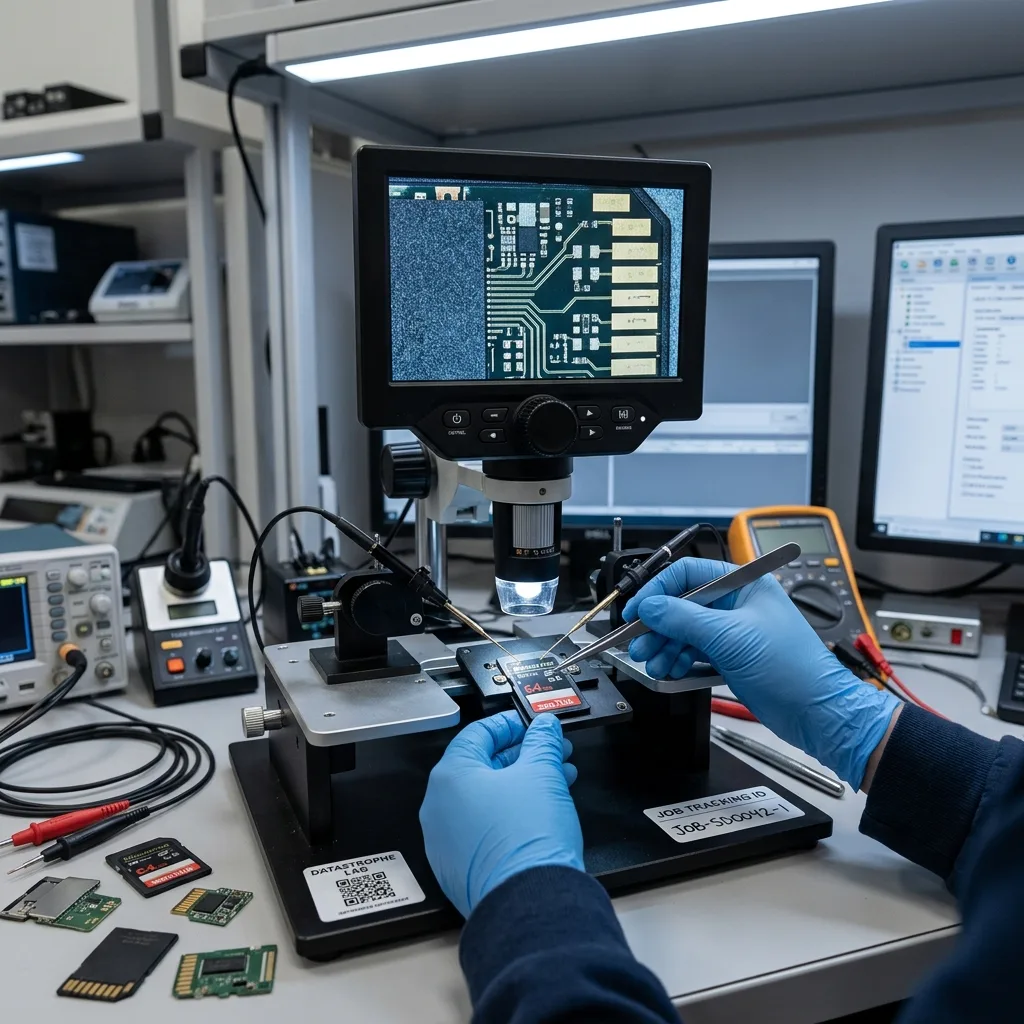
Immediate preservation
Reject formatting and do not take a test photo
The prompt to format means the device cannot use the current structure; it does not establish that the card is empty.
A quick format changes metadata, and a new photo or video writes fresh clusters. Either action can replace evidence needed to reconnect earlier files. A new image can reuse directory entries, allocation records, or clusters that belong to deleted material.
Remove the card and disable further recording. Do not let a camera, phone, or computer repair the volume before an image has been made. Repair utilities may rewrite FAT or exFAT structures to make the volume mount, changing the recovery evidence.
The original media remains write-protected whenever the interface permits it. Reconstruction and preview generation happen only on copies. Remove the card, engage the write-protect tab when available, and keep it out of consumer readers.
- Cancel every format request
- Do not record a test clip
- Avoid file-system repair
After an in-camera format
Record the exact device and whether any images or clips were created afterward. Continued use strongly affects what remains.
After accidental deletion
Stop immediately. Folder browsing and preview generation can also change caches or databases on some recording systems.
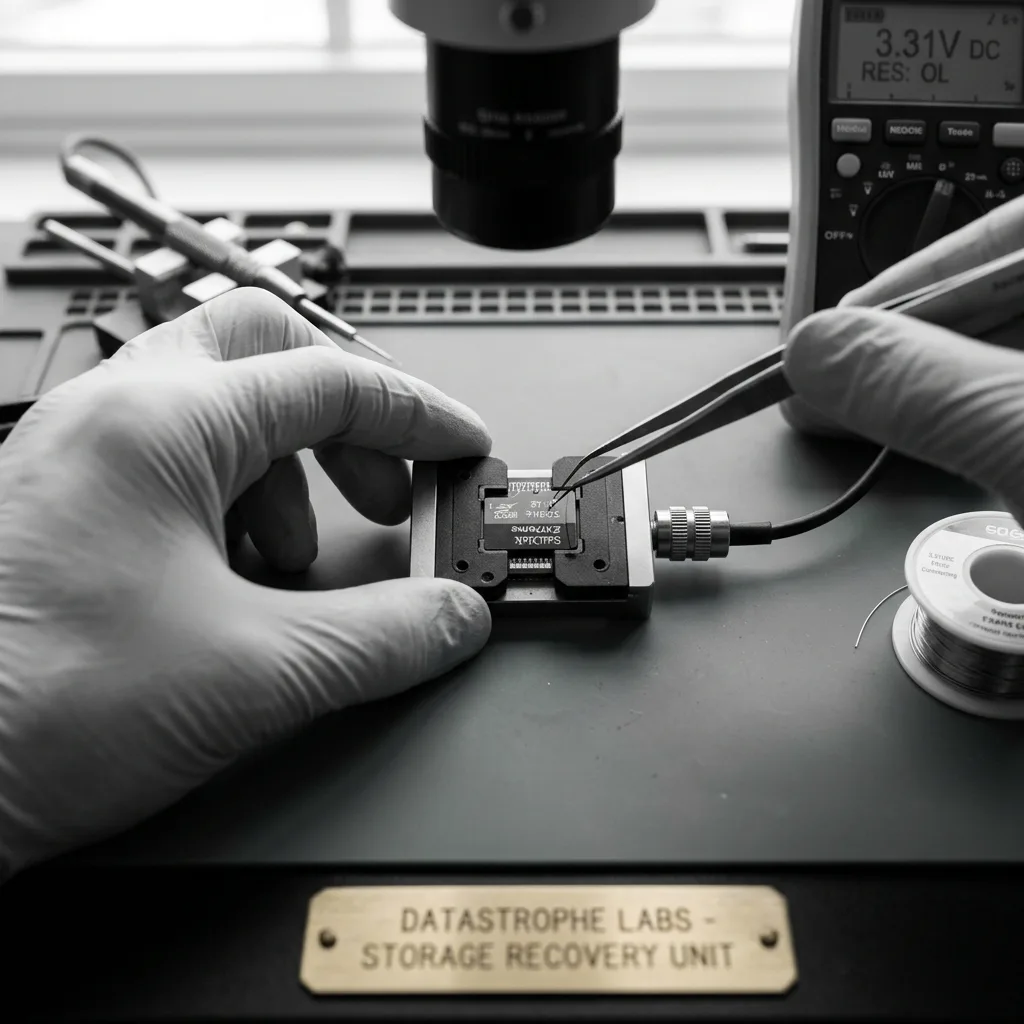
Physical diagnosis
Separate contact damage, controller failure, and worn NAND
Dirty contacts, a cracked package, unstable capacity, and controller failure require different handling.
Dirty or damaged contacts can interrupt communication without destroying stored cells. Cracked packaging, liquid exposure, and repeated error correction point to deeper media problems. Contacts and lock mechanisms are inspected without abrasive cleaning or repeated insertion into readers.
Full-size SD, microSD, and monolithic designs do not offer the same physical access options. Laboratory assessment determines whether standard imaging is stable and whether a validated alternate path exists. Capacity changes, overheating, disconnects, and inconsistent reads can indicate controller or NAND trouble.
Flash degradation can produce changing reads. The acquisition records error patterns and favors stable regions before retries are considered. Bent, delaminated, or cracked cards are immobilized so flexing does not extend internal fractures.
- Do not bend the card flat
- Keep adapters with microSD cards
- Report heat and capacity changes
Removable-card electronics
Conventional cards contain controller and NAND paths that may permit controlled logical acquisition while the device still responds.
Monolithic card construction
Many microSD cards integrate the architecture into one package, making a verified pinout, signal condition, and internal damage decisive.

Controlled acquisition
Image unstable flash before reconstructing the directory tree
A card that disconnects or changes errors must be mapped and read by controlled passes rather than copied folder by folder.
Allocation tables, directory entries, long filenames, thumbnails, and data blocks are compared on the image. A formatted volume may retain some of those relationships even when the camera no longer shows them. Stable regions, metadata, and requested recording ranges are captured before slow or inconsistent areas are revisited.
Number sequences and timestamps can reconnect files to folders or shooting sessions. When evidence is insufficient, the result is grouped honestly rather than assigned invented names. Read results are compared across attempts to identify unstable bits, ECC limits, and blocks that return changing data.
The reconstructed directory remains separate from raw carving results. This distinction shows which files retained context and which were recovered only by content signature. The original card remains separated while every file-system hypothesis is tested on copies.
- Capture stable ranges first
- Compare repeated reads
- Log every unavailable block
Logical access path
When the controller returns coherent blocks, acquisition preserves its translation and error correction while limiting retries.
Direct flash access
Raw flash reads require reconstruction of page order, ECC, interleaving, and controller transformations before a normal image exists.

Directory reconstruction
Rebuild FAT, exFAT, DCIM, and sequence metadata together
File numbering, folders, sidecars, and allocation chains help distinguish originals from thumbnails and later captures.
A RAW file must contain the image data and internal structures expected by its camera format. A preview embedded in a damaged RAW is not equivalent to the full-resolution original. Primary and backup FAT or exFAT structures are compared with directory entries, timestamps, and camera numbering.
Video may be split across noncontiguous clusters and depend on headers, indexes, and codec-specific timing. Rebuilding the container requires more than finding an H.264 or H.265 byte pattern. RAW plus JPEG pairs, XMP sidecars, bursts, and split video files are grouped by evidence rather than filename alone.
Recovered media is opened, decoded, and sampled across its duration or image area. Corrupt frames, missing tails, and audio discontinuities remain identified. When metadata is gone, signature recovery remains separated from items that retain reliable path and date context.
- Compare backup allocation data
- Group paired photo formats
- Separate previews from originals
Photo hierarchy
EXIF time, dimensions, camera serial data, and sequence numbers can reconnect files to shoots when folder entries are damaged.
Video hierarchy
Clip indexes and split-file patterns help order segments, but continuity still must be proved by decoding the reconstructed stream.

Media validation
Reconstruct fragmented video and validate RAW images fully
A correct extension and first frame do not establish that a recording or image is complete.
A particular flight, trip, ceremony, or collision may matter more than the rest of the card. Date, approximate time, sequence number, and camera channel narrow the search. RAW files are decoded beyond embedded previews and checked for complete pixel data, metadata, and visible corruption.
A defined window can be acquired and validated before older material when the card is unstable. That choice is documented so the scope remains clear. Video fragments are correlated by codec, resolution, frame rate, audio, timestamps, and device-specific headers.
Metadata from the source device can support chronology, but it is not rewritten to force an expected answer. Conflicting times or incomplete sequences are reported. Playback testing covers the full requested duration, including transitions between reconstructed segments.
- Decode full-resolution RAW data
- Play video beyond first frame
- Check audio and timestamp continuity
Using a healthy sample
A short sample from the same device and settings can reveal header, GOP, audio, and timing structures without touching the failed card.
Reporting media gaps
Frozen frames, missing intervals, corrupt audio, and uncertain chronology are documented against the requested window.
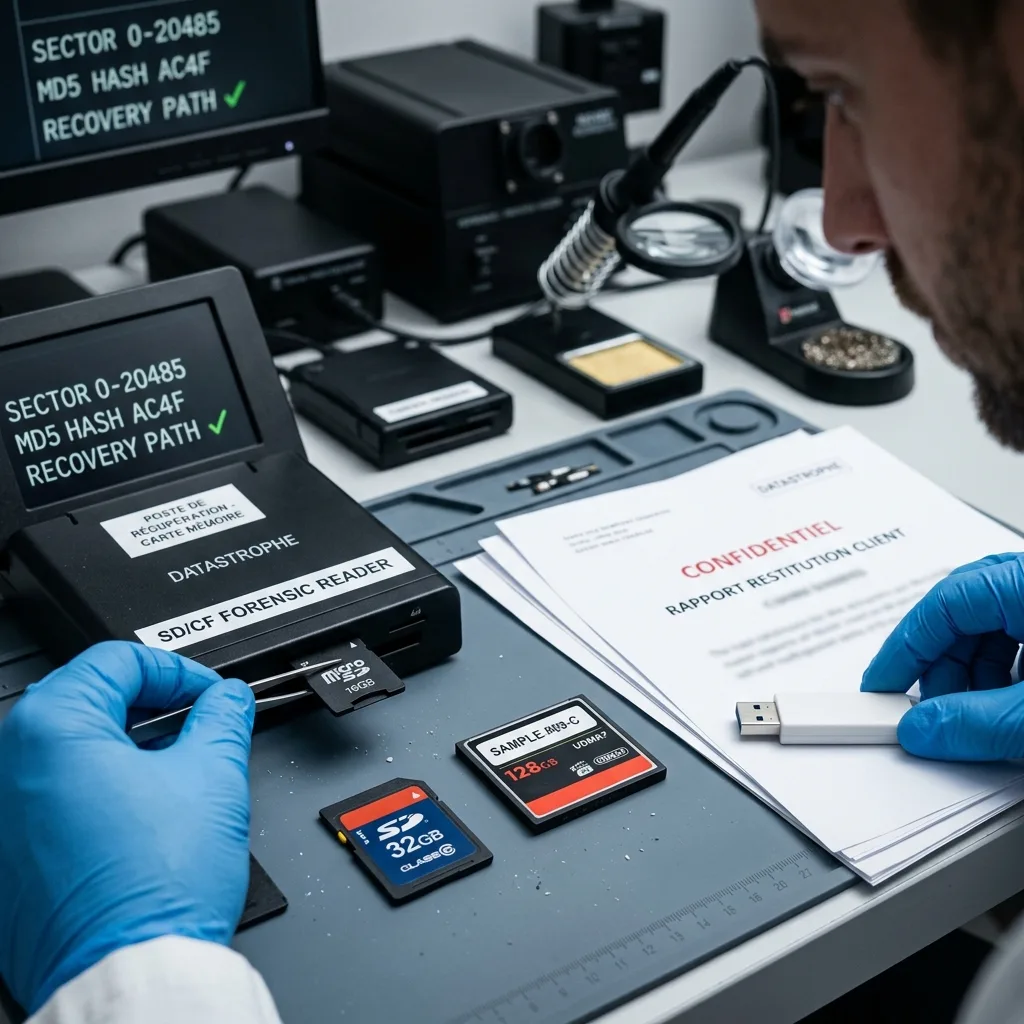
Privacy and evidence
Limit review when the card contains sensitive recordings
Wedding media, field research, security clips, and personal photos require focused validation rather than broad exploratory viewing.
Personal photographs, workplace footage, and recordings of bystanders may coexist on the same card. The owner can define folders, dates, or events that are authorized for content checks. Priorities identify the event, folder, time range, camera, or file type that needs confirmation.
Review is limited to what is needed to establish usability and identify the requested material. Unrelated media is not used to fill a delivery count. Human review is limited to opening, integrity, and chronology checks required by the agreed purpose.
Overwrite, dead flash cells, missing video fragments, and unrecoverable encryption are stated as limits. The report separates those causes rather than labeling every absent file as corruption. Working copies, access actions, and delivery media remain separated from the original card.
- Define the requested time range
- Restrict human content review
- Keep an access record
Personal and creative work
The review can focus on named sessions, dates, or projects while leaving unrelated material outside the validation sample.
Operational recordings
Trail cameras, drones, inspection systems, and recorders may need device settings and clock offsets to interpret the requested segment.

Intake preparation
Prepare the card, source device, and missing recording details
A useful intake preserves the card’s physical condition and the recording context needed to identify the requested photos or clips.
Record the card model, capacity, source device, recording settings, incident time, and the dates or clips that matter. Existing label photos and a healthy sample from another card can help, but do not create a new sample on the affected media.
Pack a damaged card in a rigid antistatic holder so it cannot flex or contact loose metal. Keep adapters and detached pieces labeled, and send credentials only through the agreed secure channel.
A thumb drive with a broken connector follows USB flash recovery, while footage tied to recorder channels, indexes, and retention windows may require NVR and DVR recovery.
The data recovery process keeps protection, imaging, reconstruction, validation, and delivery separate. Use the quote request to confirm the case scope and secure handoff route.
- Keep the card out of devices
- Use a rigid protective case
- Send credentials separately
Preparing the card
Do not tape over contacts or flex a damaged package. Keep adapters and detached pieces identified in a rigid, antistatic container.
Preparing a useful sample
If a healthy sample is available, copy it from another card and label its device settings; never create the sample on the affected media.
FAQ
Frequently asked questions
Should I format a memory card when the camera asks?
No. Formatting writes new file-system structures and can overwrite metadata or fragments from missing photos and video. Remove the card and do not take a test shot.
Can photos be recovered after an in-camera format?
Possibly, depending on the format type and any recording afterward. Stop using the card immediately and preserve the exact camera model, settings, and incident history.
Why is a healthy sample file useful for video recovery?
A sample from the same device and settings can show codec headers, timing, audio, and fragment structure. It must come from another card, never the affected one.
How are recovered RAW photos checked?
They are decoded at full resolution and compared with embedded previews, metadata, dimensions, and visible image content. A thumbnail alone is not counted as the original.
Can fragmented camera video be reconstructed?
Sometimes. Feasibility depends on surviving fragments, codec and device structure, overwritten ranges, indexes, and available samples. Recovered clips are tested across their full requested duration.
Media
Other expertise
- Hard Drive Data Recovery for Failed and Clicking Drives Recover data from clicking, dropped, slow, or unreadable hard drives through measured diagnostics, controlled imaging, and file-level verification.
- External Hard Drive Data Recovery for USB and Mechanical Failures Recover files from dropped, clicking, encrypted, or intermittently disconnecting external drives while preserving the original enclosure and electronics.
- SSD and NVMe Data Recovery for Flash Storage Failures Recover data from undetected, read-only, failed, or logically damaged SATA SSDs and NVMe drives with controller-aware acquisition and clear TRIM limits.
- USB Flash Drive Data Recovery for Connector and NAND Failures Recover data from bent, shorted, undetected, formatted or failed USB flash drives with architecture-specific acquisition and file verification.
- Laptop Data Recovery for Drive, Board, and Startup Failures Recover files from failed Windows laptops, damaged boards, dropped drives, liquid exposure, BitLocker and unbootable systems without writing to the source.
- Apple Mac Data Recovery for APFS and Encrypted Storage Recover Mac files from failed storage, liquid damage, APFS corruption, FileVault, Fusion Drive, T2, and Apple silicon systems without destructive resets.
- Tablet Data Recovery for Failed and Liquid-Damaged Devices Recover files from failed, locked, liquid-damaged or unbootable tablets while preserving soldered storage, paired hardware and encryption context.
- VMDK and VHDX Virtual Disk Data Recovery Recover files, databases, and workloads from damaged VMDK, VHDX, QCOW2, snapshots, thin disks, and failed datastores without modifying the source chain.
- RAID, NAS, and Storage Array Data Recovery Recover shares, databases and virtual machines from failed RAID, NAS, SAN, ZFS, Btrfs and storage arrays while preserving member order and parity evidence.
- Business Server Data Recovery for Complex Storage Failures Recover server data from failed RAID, pools, virtual hosts, databases and file services with source-first acquisition and workload validation.
- NVR, DVR, and Security Camera Footage Recovery Recover missing NVR and DVR footage from proprietary indexes, H.264/H.265 streams, circular recording, failed disks and multi-drive recorder arrays.
- ISO 5 Cleanroom Data Recovery for Hard Drive Failures Controlled ISO 5 cleanroom handling for confirmed head, spindle, and contamination failures, followed by immediate sector imaging and file verification.
 Hard Drive Data Recovery for Failed and Clicking Drives
  SSD and NVMe Data Recovery for Flash Storage Failures
  USB Flash Drive Data Recovery for Connector and NAND Failures
  Laptop Data Recovery for Drive, Board, and Startup Failures
  Tablet Data Recovery for Failed and Liquid-Damaged Devices
  VMDK and VHDX Virtual Disk Data Recovery
  RAID, NAS, and Storage Array Data Recovery
  Business Server Data Recovery for Complex Storage Failures
  NVR, DVR, and Security Camera Footage Recovery
  ISO 5 Cleanroom Data Recovery for Hard Drive Failures
 Diagnostic evaluation
Not sure what happened to your storage device?
Datastrophe evaluates the risk before any recovery attempt and points you toward the safest next step.