
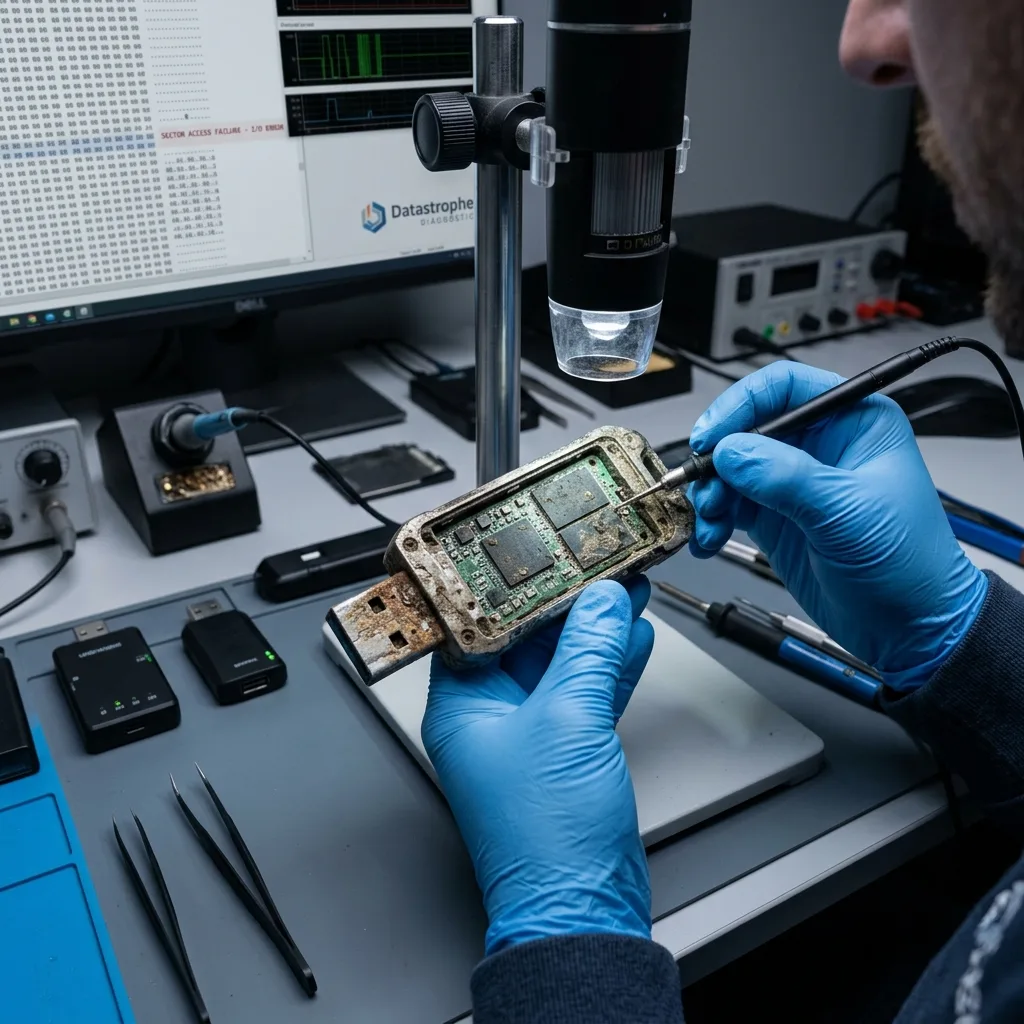

Diagnostic evaluation
Identify the stresses created by field use
Portability makes a USB flash drive useful, but it also exposes the device to job sites, workshops, vehicles, labs, outdoor work, severe cold, high heat, and dust. Damage from those conditions may build before anyone connects the symptoms with data loss.
Heat can weaken components and moisture can cause corrosion or short circuits. Dust can contaminate the connector. Impact, bending and worn USB ports can damage solder joints. Flash memory can also become corrupted after repeated removal during writing.
Symptoms can vary: the drive isn't recognized, asks to be formatted, shows inconsistent capacity, loses files, becomes extremely slow or heats up. The right reflex depends on both symptom and context.
USB flash drive data recovery covers handling of the device. This examination focuses on field use and the actions to avoid after exposure.
The type of data being carried also changes the priority. A drive may hold a simple temporary transfer, but also measurements, configurations, worksite photographs, machine exports or administrative documents. Evaluation should target what can't be recreated.

Diagnostic evaluation
Preserve the flash drive after exposure
Don't reconnect a wet, dusty, bent, or overheated flash drive just to see whether it works. Applying power can create a short circuit or accelerate corrosion that has already started. Set the device aside when its files matter.
Keep the drive in its current state, without aggressive cleaning. Blowing, scraping, heating or using a product can move residue or damage the connector. Caps, adapters and devices used should be kept when possible.
The context should be recorded: exposure to water, temperature, impact, USB port used, last file copied, message displayed and attempts already made. This chronology helps distinguish connector failure, an electronic problem and logical corruption.
Delicate USB flash drive recovery explains why flash media should be handled cautiously. The extreme environment adds another layer of physical risk.
Storage after exposure also matters. A damp USB flash drive left in a closed pocket, hot box or dusty bag can continue to deteriorate. It should be kept in a stable way, without trying to dry it abruptly.

Diagnostic evaluation
Match the symptoms to possible failures
The connector is a common failure point. Pocket carry, industrial workstations, and tight USB ports can place sideways force on the device, cracking solder joints and causing intermittent disconnects or complete loss of detection.
It may come from the controller. An unstable power supply, power surge or exposure to moisture can prevent the drive from responding correctly. In that case, the system may show nothing or display an inconsistent capacity.
It can also be logical. Removal during writing, an interrupted copy or a system freeze can corrupt the file table. The drive is then visible, but folders no longer open or the system asks to format it.
These scenarios can combine. A slightly damaged drive may still respond, then disconnect during a copy and create additional corruption. That's why repeated attempts are dangerous.
The USB ports used in the field may themselves be involved. An oxidized, poorly powered or mechanically forced port can damage several drives. Keeping information about the source computer or machine helps explain the failure.

Diagnostic evaluation
Focus recovery on useful field files
Begin by identifying the files that justify recovery. A field drive may hold drawings, measurements, photos, machine exports, reports, configuration keys, or administrative records. Listing those priorities guides acquisition before a full extraction begins.
When the drive still responds, a controlled copy protects the original. It allows files to be analyzed without repeatedly accessing the device. If it no longer responds, technical evaluation must determine whether the problem is mechanical, electronic or memory-related.
Recovered files should be qualified. A document may open only partly. A photograph may be corrupted. A machine export may be missing its ending. The file handoff should distinguish complete, partial and unrecoverable files.
Datastrophe doesn't recommend uncertain testing on an exposed USB flash drive. The main risk is stressing a device that's already unstable or writing a repair onto the only available copy.
The file handoff should remain readable for the final user. Technical files or machine exports should be tested in their original software when possible. A drive can return files that are present but unusable if their ending is missing.
Diagnostic evaluation
Reduce risk during day-to-day field use
Never leave the only copy on a flash drive used in harsh conditions. Transfer files to healthy storage promptly, open a sample to confirm the copy, and make that check part of the normal workflow instead of an emergency measure.
Use suitable drives, but also protect ports, avoid removal during writing, limit heavy keyrings and replace any drive that heats up, slows down or disconnects. Claimed ruggedness doesn't replace monitoring.
For professional use, critical files should follow a clear process: acquisition, copy, validation, archive. The drive is a transport device, not a long-term archive. This distinction avoids entrusting an entire job to fragile storage.
A USB flash drive exposed to an extreme environment may remain recoverable if it's preserved early. Stopping attempts, documenting exposure and identifying priority files gives better chances than a sequence of improvised plug-ins.
Field teams benefit from a simple rule: no critical data should come back only on a USB drive. Even a quick end-of-mission copy greatly reduces the impact of a drive lost, broken or corrupted during transport.
Anonymous drives circulating between several machines should also be limited. The more a drive moves from computer to computer, the more removals, writes and electrical risks it faces. Drives assigned to a specific job are easier to control.
When a drive contains sensitive files, confidentiality adds to the recovery question. A damaged USB flash drive shouldn't be abandoned or handed over without tracking, even if it appears unreadable.
Diagnostic evaluation
Primary Technical References And Limits
Reference scope — flash drive extreme conditions data loss: For USB flash drive extreme conditions data loss, the primary references used are NIST SP 800-86. Physical evidence — flash drive extreme conditions data loss: They define the relevant preservation, storage or validation concepts, but they cannot establish the exact physical condition, controller state, key availability or business consistency of the device received. Controller evidence — flash drive extreme conditions data loss: Those points require measurements on the original set and verification on copies.
Diagnostic evaluation
Request A Controlled Evaluation
Complete set — flash drive extreme conditions data loss: For a technical evaluation of USB flash drive extreme conditions data loss, provide the complete device or storage set, its associated power and interface parts, the symptom timeline and the priority files. Incident history — flash drive extreme conditions data loss: Keep member order, labels and authorized credentials separate from the parcel paperwork; do not restart the source merely to obtain a new screenshot.
Laboratory responsibility — flash drive extreme conditions data loss: Datastrophe performs the diagnosis, integrity checks and recovery directly in its own laboratory with its own team. Free assessment — flash drive extreme conditions data loss: Diagnosis and the quote are free. Transport boundary — flash drive extreme conditions data loss: Private round-trip shipping is included; the carrier moves only the sealed parcel and neither accesses nor processes its data.
Controlled list — flash drive extreme conditions data loss: Before any payment, the client receives the proposed price and a checked list. Verification classes — flash drive extreme conditions data loss: Each item is classified, in order, as recoverable_verified, partial, detected_unverified or unrecoverable. Payment trigger — flash drive extreme conditions data loss: Only recoverable_verified items whose contents were checked and found usable are presented as recoverable. No-result rule — flash drive extreme conditions data loss: Payment is due only after the client accepts both the list and the price.
No-result rule — flash drive extreme conditions data loss: If no usable data is verified, recovery fails, or the client declines the list or price, no standard fee is payable. Rare-part exception — flash drive extreme conditions data loss: The only exception is a rare, costly and non-refundable part, which may be ordered only after a separate, explicit and priced proposal has been accepted.