

Diagnostic assessment
Treating the SSD as a complete architecture
An SSD isn't just a memory area lined up as files. It combines NAND memory, a controller, firmware, translation tables, wear management, error correction and sometimes encryption. The computer sees a logical volume, but the data is organised through several internal layers.
This architecture explains why two SSD faults can produce very different symptoms. A device may disappear, show an inconsistent capacity, lock itself in read-only mode, ask to be formatted or corrupt some files after a power loss.
Recovery work must account for the role of the controller and internal metadata. Reading raw memory without interpreting the SSD logic isn't always enough to recover intact files.
SSD data recovery describes the service process. This examination focuses on the architecture that influences the technical limits.
This distinction matters for home users and organisations. A laptop SSD, a workstation NVMe drive, an encrypted system disk or a server SSD doesn't have the same dependencies. The original device can provide essential information.

Diagnostic assessment
How the controller works
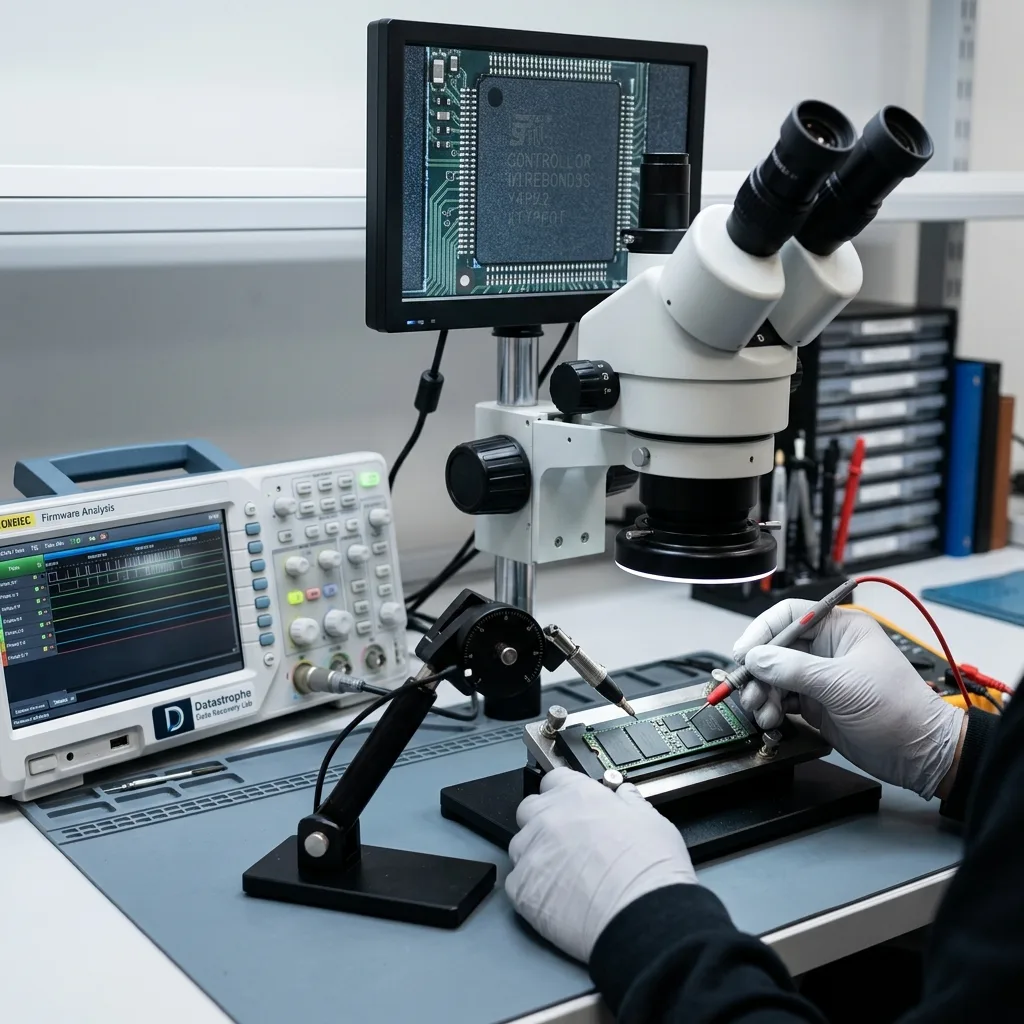
The SSD controller decides where blocks are written, how wear is distributed, which errors are corrected and which areas are presented to the system. It connects the computer to the NAND chips.
The SSD may no longer be recognised even though some data still exists in memory when that controller becomes unstable. A firmware fault, a corrupted internal table or a failing power stage can be enough to block normal access.
The controller may also apply hardware encryption or proprietary mechanisms. In that case, the presence of memory chips alone doesn't guarantee a usable handover. The relationship between controller, firmware and data needs to be understood.
Logical SSD faults covers file-system and write errors. The main risk here remains internal: how the SSD organises access.
Firmware adds another limit. An interrupted update, a bug, damaged internal table or locked security state can change the SSD behaviour. The device may appear empty or inaccessible while the real issue sits in the internal translation layer.

Diagnostic assessment
How TRIM and wear affect recovery
TRIM tells the SSD that some areas are no longer needed after deletion. Depending on the operating system, timing and device condition, that logic can make deleted data far less recoverable than it would be on a mechanical hard drive.
Wear also matters. NAND memory has a limited number of write cycles. The SSD distributes writes to extend its life, but that management adds a translation layer. When blocks become weak, errors can appear gradually or suddenly.
A power loss during a write can disturb metadata, the translation table or the file system. The visible result may be a missing folder, an unreadable volume or an application that no longer starts.
Automatic repairs and writes after the incident should therefore be avoided. Every restart, reinstall or restore can change blocks that may still be useful during technical assessment.
The deletion or failure date is useful information. It helps establish whether the system may have sent TRIM commands, whether the SSD continued working after the incident and whether later writes may have replaced important areas.

Diagnostic assessment
Telling electronic failure from logical failure
An electronic failure may involve power delivery, the controller, a component or the board. A logical failure may affect partitions, metadata, the file system, deleted files or application corruption. On SSDs, these levels often overlap.
An SSD visible to the system isn't necessarily healthy. It may respond enough to appear, but still produce read errors, disconnections or inconsistent files. Conversely, an invisible SSD may have an electronic or firmware cause rather than a complete disappearance of the data.
The first assessment must preserve the SSD and its related information: model, interface, original computer, possible encryption, messages, operating system used, deletion date or failure date. These details inform the analysis.
Datastrophe treats an SSD as a set of controller, memory, firmware and logical system. That approach avoids promising one single method for every flash failure.
Validation must then focus on files, not just on the volume. An SSD may return a partial folder structure, corrupted files or an inconsistent database. Priority items must be opened and checked before the recovery can be considered useful.
Diagnostic assessment
How to prevent SSD data loss
Prevention starts with verified backups. A fast SSD can encourage frequent writes, virtual machines, caches and heavy projects. These uses need a restore strategy, not just confidence in the storage media.
Warning signs should be monitored: errors, unusual slowness, inconsistent capacity, read-only mode, disconnections or system alerts. These signals should lead to copying important data to healthy media without continuing to work on the suspect SSD.
Firmware updates, reinstalls and restores should be preceded by a checked backup. An operation that looks like software maintenance can change useful metadata if the problem comes from a deeper layer.
Environments that use SSDs for caches, virtual machines or databases should document their configuration. A fast SSD may contain recent writes, logs or critical blocks that only make sense with the system that used it.
The SSD should also be replaced after an incident. Even if some data are recovered, a device that has shown failure, errors or inconsistency shouldn't become the primary drive for a workstation or server again.
That decision avoids rebuilding a reliable environment on a base that is already suspect.
An SSD is therefore neither invulnerable nor simple by default. Recovery depends on its internal architecture, the controller state and the first decisions after the incident. The practical rule remains: stop writes, document the context and check copies before any repair.
Datastrophe assesses an SSD as a controller, firmware, NAND and encryption system before acquisition; clean room work applies only if a mechanical hard drive must be opened.
Diagnostic assessment
Primary Technical References And Limits
Reference scope — ssd architecture recovery: For ssd architecture recovery limitations, the primary references used are europe.kioxia.com. Physical evidence — ssd architecture recovery: They define the relevant preservation, storage or validation concepts, but they cannot establish the exact physical condition, controller state, key availability or business consistency of the device received. Controller evidence — ssd architecture recovery: Those points require measurements on the original set and verification on copies.
Diagnostic assessment
Arrange A Controlled Assessment
Complete set — ssd architecture recovery: For a technical assessment of ssd architecture recovery limitations, provide the complete device or storage set, its associated power and interface parts, the symptom timeline and the priority records. Incident history — ssd architecture recovery: Keep member order, labels and authorised credentials separate from the parcel paperwork; do not restart the source merely to obtain a new screenshot.
Laboratory responsibility — ssd architecture recovery: Datastrophe performs the diagnosis, integrity checks and recovery directly in its own laboratory with its own team. Free assessment — ssd architecture recovery: Diagnosis and the quote are free. Transport boundary — ssd architecture recovery: Return courier transport is included; the carrier moves only the sealed parcel and neither accesses nor processes its data.
Controlled list — ssd architecture recovery: Before any payment, the client receives the proposed price and a checked list. Verification classes — ssd architecture recovery: Each item is classified, in order, as recoverable_verified, partial, detected_unverified or unrecoverable. Payment trigger — ssd architecture recovery: Only recoverable_verified items whose contents were checked and found usable are presented as recoverable. No-result rule — ssd architecture recovery: Payment is due only after the client accepts both the list and the price.
No-result rule — ssd architecture recovery: If no usable data is verified, recovery fails, or the client declines the list or price, no standard fee is payable. Rare-part exception — ssd architecture recovery: The only exception is a rare, costly and non-refundable part, which may be ordered only after a separate, explicit and priced proposal has been accepted.