
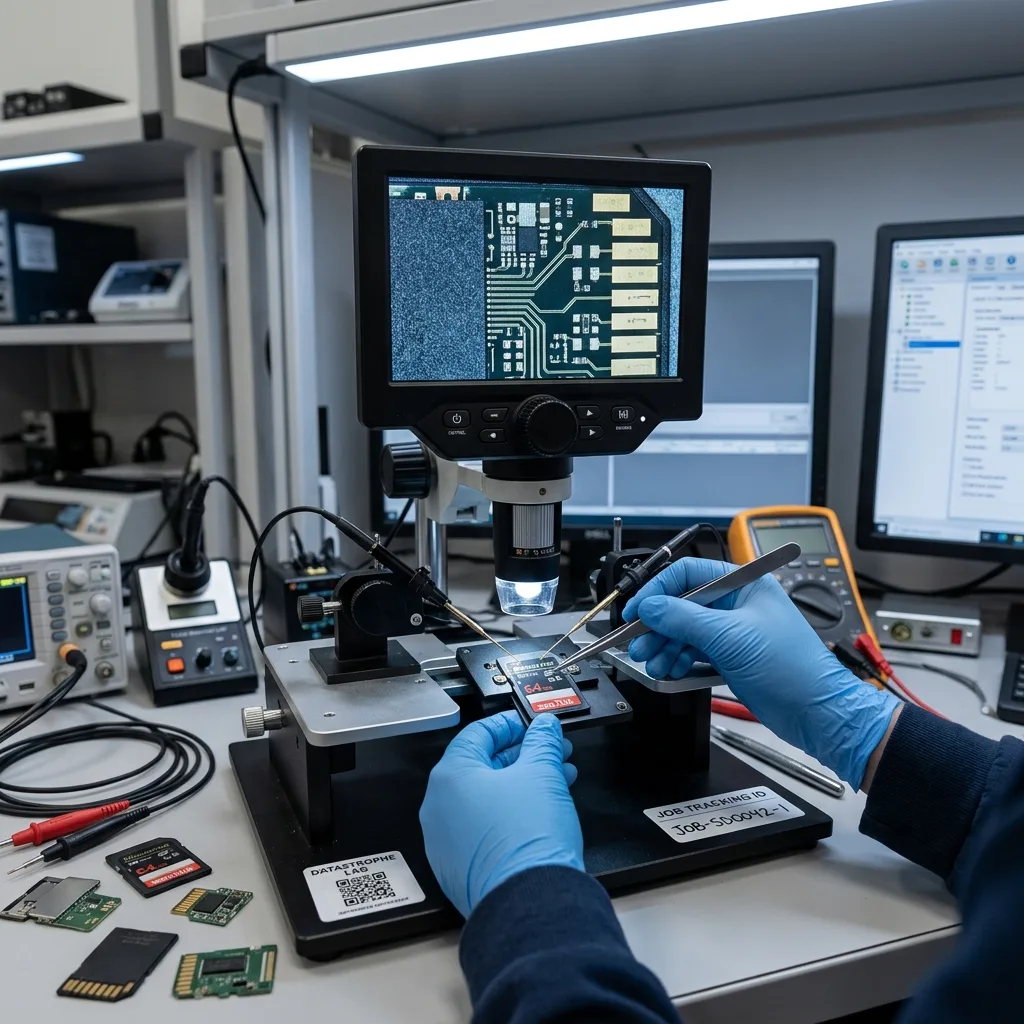

Diagnostic assessment
4K bitrate places sustained load on flash memory
A 4K recording can require a sustained write rate; the maximum speed printed on a card does not guarantee that rate over an entire take. The camera must encode and transfer the stream, update the file system and manage NAND blocks continuously. Thermal throttling, wear or low free space can interrupt that cycle.
Measure the real recording load
Speed classes describe an expected performance floor, but compatibility still depends on codec, actual bitrate, frame rate and recording mode. All-Intra capture, high frame rate or simultaneous proxy and audio streams do not load the card like a short, highly compressed clip.
Typical symptoms are not always dramatic:
- Recording stops automatically;
- Displayed duration is zero or implausible;
- A large file will not import;
- The image freezes after a repeatable point;
- Audio is missing or drifts out of sync;
- The newest takes vanish while earlier footage remains readable.
A counterfeit card or one with a lower real capacity may work until a boundary is crossed, then overwrite previous areas. A worn card can also pass a brief benchmark and still fail after several minutes of sustained camera writing.
Diagnosis must therefore relate the failure to the exact take, recording mode and interruption time. “The card is recognised” is not evidence that the required 4K video was completed or remains contiguous.

Diagnostic assessment
Video files must be finalised
A video container organises encoded streams; it is more than the images themselves. MP4, MOV and MXF can hold codec parameters, duration, indexes, audio tracks, timecode and camera metadata. If power is lost before the file closes, some of these structures remain unfinished.
Separate the recorded streams from their container
The more favourable case is continuous video and audio payload in an incomplete wrapper. Reconstruction can then use the expected structure and a sample file made with exactly the same camera settings. If stream blocks were overwritten or never recorded, rebuilding an index cannot recreate them.
Distinguish the main symptoms:
| Symptom | Possibility to check |
|---|---|
| Zero-byte file | Allocation not completed or no payload written |
| Normal size but will not play | Missing header or index |
| Plays then stops | Truncated stream or unreadable blocks |
| Thumbnail only | Preview stored separately from the main recording |
| Incorrect duration | Incomplete timing table |
Repairing the only copy is not preservation. Work from duplicates and keep one bit-for-bit version unchanged. A transcode can create a playable file while silently dropping frames, audio or metadata.

Diagnostic assessment
Identify the cause across the recording chain
The card may be at fault, but so may the camera, battery, adaptor, reader or destination copy. A reliable assessment reconstructs the whole chain rather than drawing a conclusion from one failed playback application.
Reconstruct what happened inside and after the camera
A disconnected battery, thermal shutdown or forced power-off can prevent finalisation while the flash memory remains healthy. A poor microSD adaptor or USB reader can interrupt a later copy and leave only the destination file incomplete. Source and copy must not be confused.
Five questions narrow the fault:
- Did the camera report a recording stop or continue to show activity?
- Is the file visible in the camera, on a computer, or both?
- Does its size agree with the expected duration and bitrate?
- Are the clips immediately before and after it readable?
- Has the card been formatted, repaired or reused since the incident?
Comparing the source with every existing copy prevents a false diagnosis.
exFAT supports large files but remains vulnerable when metadata writes are interrupted. Some cameras also segment long takes; one missing segment can make a complete recording appear to have vanished.
Datastrophe separates physical card stability, logical file-system structure and video-container validity. That distinction prevents a “video repair” promise where the underlying stream blocks no longer exist.

Diagnostic assessment
Respond without worsening the loss
As soon as a unique sequence is missing, remove the card from rotation and stop all writes. Do not reformat it in camera, accept an automatic repair or repeatedly convert the only available file.
Isolate the card and prepare a controlled acquisition
Preserve these items together:
- The card and any adaptor used with it;
- The original file and every copy already made;
- A healthy sample from the same camera and settings;
- Camera model, firmware, codec, resolution and frame rate;
- The time range, clip name and event observed.
Keep together: the source card and a sample clip produced by the same camera body, codec, frame rate and recording mode. A merely similar file can direct reconstruction towards an incompatible structure.
If the card is stable, controlled acquisition allows later analysis without repeatedly reading the source. If it disconnects, heats up or returns repeated errors, ordinary copying must stop. Preserving the medium takes priority over obtaining one more thumbnail.
Laboratory acquisition records errors, rate changes and retries so work does not restart blindly after a drop-out. A monolithic card, damaged connector or unstable flash device may require electronics work; a clean room is for opened hard drives and is not the default answer for SD cards. The memory card data recovery service describes this assessment before video reconstruction.
The sample file must not come from a merely “close” mode. Group-of-pictures length, audio tracks, codec profile and metadata can change with one setting. The closer the sample, the better it separates expected structure from genuinely absent data.
Handover must qualify the outcome: complete streams in a new container, partial sequence, missing audio, reconstructed timecode or visible gaps. A file that opens is not necessarily equivalent to the recording that should have existed.
Diagnostic assessment
Validate reconstructed video before handover
Reconstruction is not complete until the entire required time range has been reviewed. Playing the first few seconds does not reveal a later break, progressive audio drift or black frames in the middle of the stream.
Check the whole sequence in its intended workflow
Compare the result with the production context:
- Expected duration and number of segments;
- Visual continuity across split points;
- Audio and video synchronisation;
- Frame rate and resolution;
- Essential timecode, date and camera metadata;
- Import into the editing software that will actually be used.
For multicamera capture, compare the sequence with other angles or separately recorded sound. These references can expose a gap that isolated playback would not reveal.
Keep the source acquisition, reconstructed master and viewing exports separate. Never overwrite the recovered master with a convenient edit transcode. The report should identify each treatment and any remaining limitation.
The controlled data recovery process separates diagnosis, acquisition, reconstruction and result review. For a production, final validation belongs in the intended editing system with the required codec and tracks; smooth playback in a general media player does not validate the ending, timecode or metadata needed to manage the rushes.
Retire the card from production after an incident. Prevention combines cards rated for the real sustained bitrate, secure battery and power arrangements, manageable take lengths where practical, and two verified copies after each session. The aim is not merely a playable file, but evidence that the required sequence is complete and usable.
Diagnostic assessment
Primary Technical References And Limits
Reference scope — corrupted 4K video from memory card: For recover corrupted 4K video from memory card, the primary references used are NIST SP 800-86. Physical evidence — corrupted 4K video from memory card: They define the relevant preservation, storage or validation concepts, but they cannot establish the exact physical condition, controller state, key availability or business consistency of the device received. Controller evidence — corrupted 4K video from memory card: Those points require measurements on the original set and verification on copies.
Diagnostic assessment
Arrange A Controlled Assessment
Complete set — corrupted 4K video from memory card: For a technical examination of recover corrupted 4K video from memory card, provide the complete device or storage set, its associated power and interface parts, the symptom timeline and the priority records. Incident history — corrupted 4K video from memory card: Keep member order, labels and authorised credentials separate from the parcel paperwork; do not restart the source merely to obtain a new screenshot.
Laboratory responsibility — corrupted 4K video from memory card: Datastrophe performs the diagnosis, integrity checks and recovery directly in its own laboratory with its own team. Free assessment — corrupted 4K video from memory card: Diagnosis and the quotation are free. Transport boundary — corrupted 4K video from memory card: Private collection and return is included; the carrier moves only the sealed parcel and neither accesses nor processes its data.
Controlled list — corrupted 4K video from memory card: Before any payment, the client receives the proposed price and a checked list. Verification classes — corrupted 4K video from memory card: Each item is classified, in order, as recoverable_verified, partial, detected_unverified or unrecoverable. Payment trigger — corrupted 4K video from memory card: Only recoverable_verified items whose contents were checked and found usable are presented as recoverable. No-result rule — corrupted 4K video from memory card: Payment is due only after the client accepts both the list and the price.
No-result rule — corrupted 4K video from memory card: If no usable data is verified, recovery fails, or the client declines the list or price, no standard fee is payable. Rare-part exception — corrupted 4K video from memory card: The only exception is a rare, costly and non-refundable part, which may be ordered only after a separate, explicit and priced proposal has been accepted.