
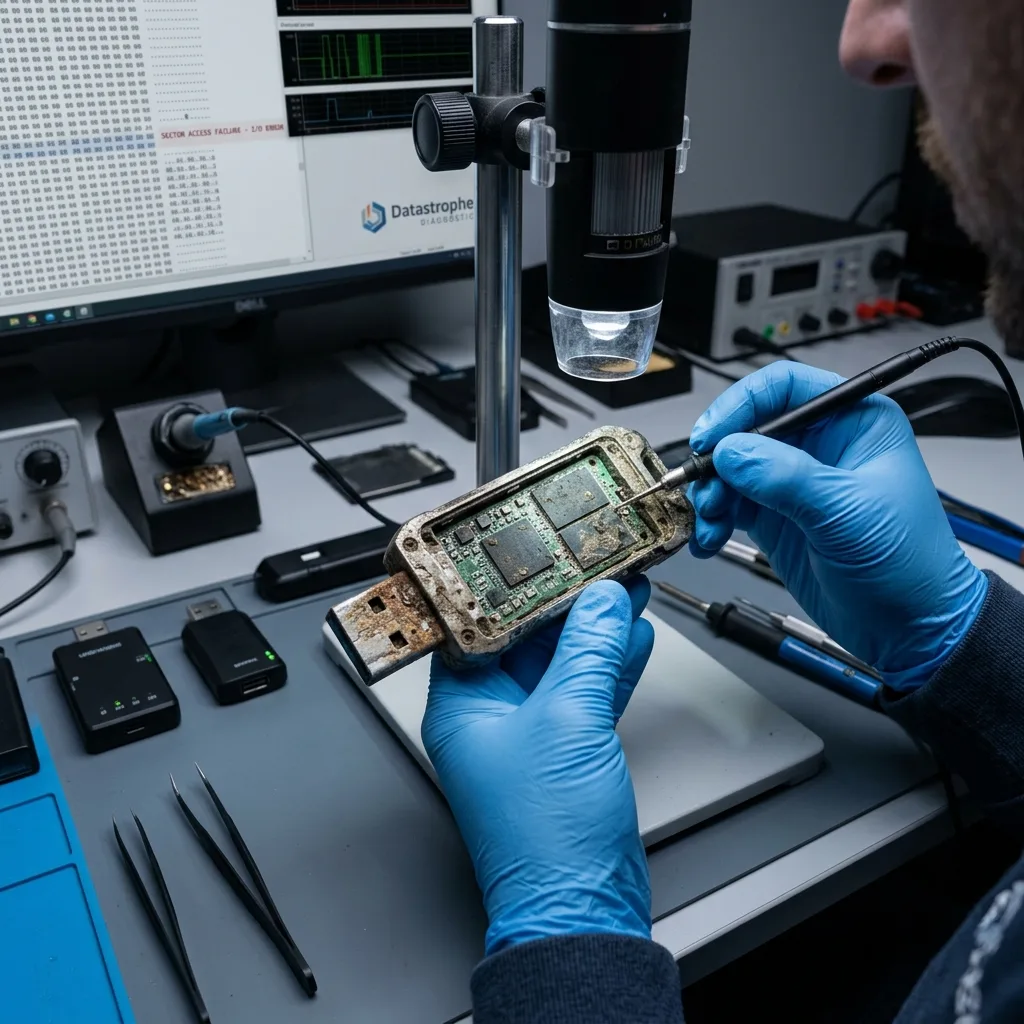

Diagnostic assessment
Identify the actual field exposure
An extreme environment is a combination of measurable stresses, not simply a general impression of harsh conditions. Heat, freezing, condensation, conductive dust, salt-laden moisture, vibration and bending force affect different parts of a USB flash drive.
Heat accelerates electronic ageing and can reduce charge retention in already worn NAND cells. Cold makes some materials less flexible; the greater danger often appears when the device returns to a warm room and condensation forms on its circuitry. Moisture and salt create conductive deposits and then corrosion, sometimes continuing long after the original incident.
Mechanical stress is concentrated around the connector and its solder joints. A drive left protruding from a port can act as a lever during an impact. Its enclosure may look intact while a circuit-board trace is cracked or a joint makes contact only at one angle.
Record the exposure in practical terms:
- Approximate temperature and duration;
- Type of liquid, dust or deposit;
- Whether the drive was powered at the time;
- Whether a cap was fitted and the state of the connector;
- Any impact, bending or vibration;
- Time between the event and the first attempt to read it.
An IP rating or stated temperature range is relevant only to the exact product and test conditions. An open connector, aged seal or cracked enclosure can remove the protection that the label appears to offer.

Diagnostic assessment
Preserve the drive after exposure
After contact with moisture, liquid or conductive material, do not apply power. A circuit that looks dry can retain residue beneath packages and around fine-pitch connections. Current can turn a recoverable contamination event into an electronic failure or speed up corrosion.
Do not use hot air, a radiator or household cleaning products. Heat may deform plastics, move contaminants or remove evidence that helps explain the failure. Rice neither removes salts nor cleans conductive deposits.
Handle the drive by its enclosure and do not attempt to straighten the connector. Place it in a rigid, dry, clearly labelled container. If it was immersed in salt water, muddy water or chemicals, state this explicitly because the stabilisation method depends on the contaminant.
Critical point: a light that came on once is not a reason to keep trying. Intermittent access may indicate a cracked trace, partial short circuit or unstable supply.
Keep photographs of the scene and visible deposits before handling. Record every drying method already tried and the number of reconnections. That history can explain corrosion or residue that no longer matches the original exposure.
For a drive that is merely cold, allow the sealed container to return gradually to room temperature before opening it, reducing the risk of condensation. This advice does not apply after immersion or where deposits are visible; important data then justify a specialist assessment before power is applied.

Diagnostic assessment
Distinguish the possible failures
Symptoms indicate a family of faults; they do not prove a diagnosis without measurement. An absent device may have a broken connector, interrupted power rail or failed controller. A visible but unstable device may combine poor contact with read errors. A format prompt points to the logical layer but does not exclude an electronic cause.
Read the symptoms without repeating connections
A diagnostic assessment separates four levels:
| Level | Possible signs | Risk from another attempt |
|---|---|---|
| Connector | Looseness, movement sensitivity, intermittent detection | Complete fracture of a trace or joint |
| Power circuitry | Heat, smell, no response | Worsening short circuit or component damage |
| Controller and NAND | Implausible capacity, freezes, repeated resets | Further loss of stability |
| File system | Format prompt, missing folders | Metadata changed by repair or initialisation |
Ordinary dust on the enclosure does not erase files. Metallic, saline or very fine dust can conduct electricity or retain moisture on the circuit. Industrial, coastal and workshop exposure must therefore be described accurately.
A moulded or potted drive may resist liquid better, but its encapsulation can make access to the electronics more difficult. That changes the possible intervention and its duration; it is neither a guarantee of success nor proof that recovery is impossible.
The NAND may remain readable after the USB interface fails, but raw flash depends on controller translation, error correction and sometimes internal scrambling or encryption. The physical presence of a memory package is not enough to promise coherent files. A cleanroom is not the default method for flash electronics; controlled particulate conditions are primarily relevant when a mechanical hard drive must be opened.

Diagnostic assessment
Recover the files that matter
USB flash drive data recovery should begin with stable acquisition and then validate the priority files. Reconnecting a drive until it “stays online” is not a controlled method. A delicate USB recovery case may require electronic stabilisation before any sustained reading.
Prioritise acquisition before reconstruction
Where safe access is possible, the original is acquired with read errors and retries recorded. Logical analysis and reconstruction then take place on a copy. Priority information prevents an unstable device being exhausted on low-value areas before the essential data have been read.
Prepare a concrete list: measurement folder from one job, a machine export, photographs from a date, a configuration set or a particular administrative record. Include the expected formats and the application that must open them.
The result should distinguish:
- A file present and fully opened;
- A partial file that is still usable;
- A recovered structure with incomplete content;
- Data absent or overwritten;
- An area not read because the device remained unstable.
A file count is not proof of usability. A database can exist but fail consistency checks, a spreadsheet can lose its last rows and a compressed archive can fail extraction because one block is missing.
Datastrophe keeps the source acquisition separate from reconstructed output and returns usable data to healthy storage. The steps and limits are documented so that the recipient can distinguish content read directly from the flash drive from anything repaired or reconstructed.
Diagnostic assessment
Reduce risk in real field use
Risk falls when the USB drive is no longer the only copy. Even a rugged model remains small, portable and exposed at its connector. It should collect or transport data and then transfer them promptly to controlled storage.
Choose the device for the real conditions: temperature range, salt or conductive dust, vibration, insertion cycles and write volume. Protect the connector in transit and avoid leaving a drive projecting from a moving machine or vehicle.
After each job, make a controlled transfer. Verify the files on the destination before clearing or returning the drive to service. Check periods and continuity for measurements, test the import of configurations and open a representative sample of photographs from each session.
Retire a drive after immersion, significant impact, bending or recurring disconnections even if it becomes visible again. Temporary access does not demonstrate future reliability.
Keep common causes separate. Two drives stored in the same damp case are not two independent protections. A copy on a central system or at another location completes the field rotation. Useful resilience is measured by the ability to resume work after loss of the device, not by an enclosure that merely looks indestructible.
Diagnostic assessment
Primary Technical References And Limits
Reference scope — drive data recovery after extreme exposure: For USB flash drive data recovery after extreme exposure, the primary references used are NIST SP 800-86. Physical evidence — drive data recovery after extreme exposure: They define the relevant preservation, storage or validation concepts, but they cannot establish the exact physical condition, controller state, key availability or business consistency of the device received. Controller evidence — drive data recovery after extreme exposure: Those points require measurements on the original set and verification on copies.
Diagnostic assessment
Arrange A Controlled Assessment
Complete set — drive data recovery after extreme exposure: For a technical examination of USB flash drive data recovery after extreme exposure, provide the complete device or storage set, its associated power and interface parts, the symptom timeline and the priority records. Incident history — drive data recovery after extreme exposure: Keep member order, labels and authorised credentials separate from the parcel paperwork; do not restart the source merely to obtain a new screenshot.
Laboratory responsibility — drive data recovery after extreme exposure: Datastrophe performs the diagnosis, integrity checks and recovery directly in its own laboratory with its own team. Free assessment — drive data recovery after extreme exposure: Diagnosis and the quotation are free. Transport boundary — drive data recovery after extreme exposure: Private collection and return is included; the carrier moves only the sealed parcel and neither accesses nor processes its data.
Controlled list — drive data recovery after extreme exposure: Before any payment, the client receives the proposed price and a checked list. Verification classes — drive data recovery after extreme exposure: Each item is classified, in order, as recoverable_verified, partial, detected_unverified or unrecoverable. Payment trigger — drive data recovery after extreme exposure: Only recoverable_verified items whose contents were checked and found usable are presented as recoverable. No-result rule — drive data recovery after extreme exposure: Payment is due only after the client accepts both the list and the price.
No-result rule — drive data recovery after extreme exposure: If no usable data is verified, recovery fails, or the client declines the list or price, no standard fee is payable. Rare-part exception — drive data recovery after extreme exposure: The only exception is a rare, costly and non-refundable part, which may be ordered only after a separate, explicit and priced proposal has been accepted.