
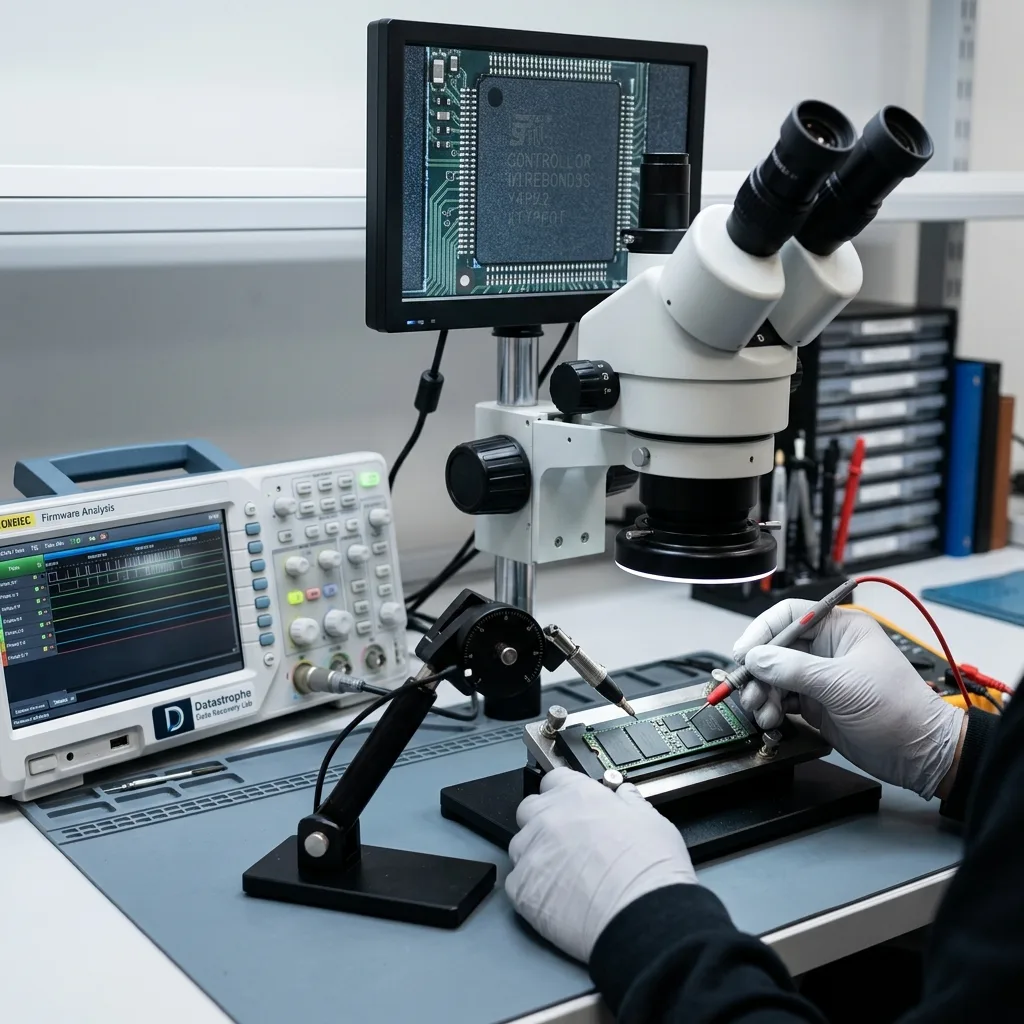

Diagnostic assessment
Treat the SSD as an architecture
An SSD does not tie a sector number to one fixed physical position. The host addresses logical blocks, while the controller maps them to NAND pages and blocks that change as writes take place. This abstraction improves speed and endurance, but it also means that data recovery depends on several internal layers remaining coherent.
Depending on the design, the device combines NAND, a controller, firmware, working memory, error correction, translation tables, reserve blocks and encryption. Failure in one layer can hide everything behind it. Apparently intact NAND packages do not prove that their pages can be corrected, decrypted and placed back in the right order.
From logical block to flash cell
| Layer | Normal function | Limit after an incident |
|---|---|---|
| SATA or NVMe interface | Carries commands and data | Device absent, unstable or wrongly identified |
| Controller and firmware | Governs access and drive state | Start-up blocked or behaviour inconsistent |
| Flash translation layer (FTL) | Maps logical addresses to NAND | Mapping lost, stale or only partly replayed |
| ECC and spare blocks | Correct errors and retire weak pages | Errors exceed the available correction |
| NAND | Stores charge representing the data | Worn pages, poor retention or a damaged package |
| Internal encryption | Protects data at rest | Raw reads unusable without a coherent controller and key |
The SSD data recovery service sets out how a failed device is received and assessed. Its controller, FTL and NAND architecture then define which acquisition methods are technically possible and where their limits lie.

Diagnostic assessment
Understand the controller's role
The controller chooses where data are written, which blocks are erased, how wear is distributed and which errors are corrected. The FTL maintains the relationship between host addresses and physical pages. Garbage collection reclaims blocks containing obsolete pages, while over-provisioning provides working space for these operations.
A power cut can affect mapping as well as files
During a write, an SSD may update user data, translation metadata and the file system. A power interruption does not therefore damage only “the last file”. Depending on its timing and the controller design, it can leave internal mapping inconsistent, a logical journal unfinished or the device stuck in a protective state.
A useful diagnostic assessment records:
- The exact model, revision and interface;
- The reported capacity and cold-start behaviour;
- The original computer or equipment and the incident;
- Any known software or hardware encryption;
- Messages, disconnections and writes made afterwards;
- The files that genuinely matter first.
Many controllers apply transparent internal encryption even when the user has never set a password. Reading the NAND packages then does not produce plain files automatically. Error correction, de-interleaving, address translation and the controller-bound key still have to be reproduced.
Limit of a raw read — “chip-off” does not mean “files recovered”. It is one possible acquisition technique in some cases; proprietary formats, ECC, the FTL and encryption may still prevent a usable reconstruction.
The data recovery process begins by identifying the interface, controller and behaviour of the device. NVMe is one specific family; SATA and other flash products use the same broad layers with design-specific variations.

Diagnostic assessment
Assess the effects of TRIM and wear
TRIM lets an operating system report that certain logical blocks no longer contain required data. The command does not reveal the exact moment of physical erasure or guarantee a future result. The controller may process those pages later during garbage collection, depending on the drive, host system and time spent powered.
Logical deletion and physical availability diverge
On a hard drive, a deleted block often remains at the same address until overwritten. On an SSD, the FTL can remove the mapping and recycle the underlying pages. Recoverability cannot therefore be inferred from the deletion date alone. The assessment must establish TRIM support, activity since the incident and the controller's current state.
Wear produces other clues: increasing corrected errors, retired blocks, read-only mode, latency, incorrect capacity or complete disappearance. These are indicators, not a verdict. Device counters can help when they can be read without keeping an unstable SSD powered for too long, but they do not prove that every file is intact.
| Event | Possible effect | What it does not prove |
|---|---|---|
| Deletion followed by TRIM | Logical mapping invalidated | Identical erasure behaviour on every model |
| Device becomes read-only | Internal protection or a fault | Complete integrity of all visible data |
| Corrected errors increase | NAND under stress | Immediate loss of every file |
| Capacity is wrong | Firmware, FTL or electronics failing | Empty chips or destroyed data |
| Reset or initialisation | New structures or keys may be created | Repair without data loss |
After deletion or formatting: stop new writes. Restarting, reinstalling or filling the volume gives the controller more opportunities to recycle the pages being sought.

Diagnostic assessment
Separate electronic and logical faults
A logical fault can affect partitions, APFS, NTFS, ext4, metadata or files while the SSD still answers commands. An electronic or firmware fault can hide a logically intact volume. Both can coexist: unstable power may interrupt writes, leaving a fragile controller and an inconsistent file system at the same time.
Measure the symptom layer by layer
An SSD that appears with the correct capacity can still return errors or partial files. An absent SSD may have a power-component, controller or firmware problem. A format prompt says only that the operating system cannot mount the expected structure; it does not identify the failed layer.
A cautious sequence separates:
- Identification and electrical state;
- Interface and command stability;
- Acquisition of accessible blocks;
- Logical reconstruction on a working copy;
- Opening and validating priority files.
Automatic repair does not come before acquisition. Its purpose is to make a volume mountable, not to preserve the original state. Altering a table can remove another reconstruction path.
Datastrophe follows this chain without announcing one universal technique before the diagnostic assessment. Monolithic devices, proprietary controllers, unavailable keys, pages beyond ECC limits and already recycled blocks impose factual limits. Electronic work belongs in a data recovery laboratory; a clean room is primarily relevant when a mechanical hard drive must be opened, not for routine work on an intact SSD. Restoring electrical access cannot guarantee logical coherence.
Diagnostic assessment
Prevent data loss on SSDs
Prevention is not a matter of buying an allegedly infallible SSD. It reduces dependence on one controller and an invisible translation layer. A versioned backup, isolated from the device and restored periodically, provides the useful evidence.
Prepare for failure inside the device
A resilient organisation keeps:
- At least two independent copies of critical data;
- FileVault, BitLocker or application keys in a protected location;
- An inventory of SSDs used as caches, datastores or system volumes;
- A stop procedure for read errors and repeated disconnections;
- The date and result of the latest application-level restore test.
Firmware updates, migrations and reinstallations require a checked backup first. Virtual machines, databases and caches need a coherent application-level capture; copying only the visible files can leave journals or dependencies in a different state.
Monitoring can prompt action, but it cannot offer a guarantee. Temperature alerts, interface errors, capacity changes, read-only mode and disconnections should trigger migration to healthy storage. A suspect SSD should not be subjected to a long scan or kept in production until it fails completely.
After data recovery, the failed device should not return to important use. Restored files must be opened, classified as validated or partial, and then copied to two healthy destinations.
SSD architecture explains both performance and data recovery limits. Preserving the context, stopping writes and working from controller behaviour towards the files supports a defensible analysis without promising recycled pages, missing keys or physically damaged NAND.
Diagnostic assessment
Primary Technical References And Limits
Reference scope — SSD architecture and data recovery: For SSD architecture and data recovery limits, the primary references used are europe.kioxia.com. Physical evidence — SSD architecture and data recovery: They define the relevant preservation, storage or validation concepts, but they cannot establish the exact physical condition, controller state, key availability or business consistency of the device received. Controller evidence — SSD architecture and data recovery: Those points require measurements on the original set and verification on copies.
Diagnostic assessment
Arrange A Controlled Assessment
Complete set — SSD architecture and data recovery: For a technical examination of SSD architecture and data recovery limits, provide the complete device or storage set, its associated power and interface parts, the symptom timeline and the priority records. Incident history — SSD architecture and data recovery: Keep member order, labels and authorised credentials separate from the parcel paperwork; do not restart the source merely to obtain a new screenshot.
Laboratory responsibility — SSD architecture and data recovery: Datastrophe performs the diagnosis, integrity checks and recovery directly in its own laboratory with its own team. Free assessment — SSD architecture and data recovery: Diagnosis and the quotation are free. Transport boundary — SSD architecture and data recovery: Private collection and return is included; the carrier moves only the sealed parcel and neither accesses nor processes its data.
Controlled list — SSD architecture and data recovery: Before any payment, the client receives the proposed price and a checked list. Verification classes — SSD architecture and data recovery: Each item is classified, in order, as recoverable_verified, partial, detected_unverified or unrecoverable. Payment trigger — SSD architecture and data recovery: Only recoverable_verified items whose contents were checked and found usable are presented as recoverable. No-result rule — SSD architecture and data recovery: Payment is due only after the client accepts both the list and the price.
No-result rule — SSD architecture and data recovery: If no usable data is verified, recovery fails, or the client declines the list or price, no standard fee is payable. Rare-part exception — SSD architecture and data recovery: The only exception is a rare, costly and non-refundable part, which may be ordered only after a separate, explicit and priced proposal has been accepted.